Packing list template for wholesale shipments

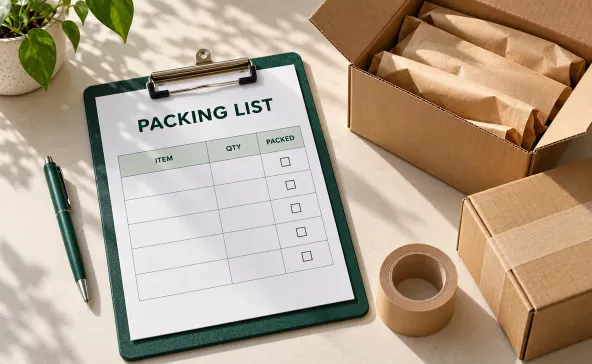
A packing list template helps your warehouse record what actually leaves the dock and gives stores something reliable to check at receiving. The trouble starts when teams copy quantities from purchase orders without checking what’s packed. Paperwork says 12 cases. The shipment contains 10. Now the receiver has to figure out whether two cases are missing or still at your warehouse.
For wholesale shipments, the most useful packing lists connect products to their cartons and make case quantities unmistakable. They also separate shipped goods from backorders, so nobody mistakes a promise for a delivery.
Whether you use spreadsheets or order fulfillment software, build packing lists from confirmed shipment quantities. Keep the original order reference, but let the physical shipment determine what goes on the page.
What your wholesale packing list needs to explain
Receivers need to know which purchase orders they’re checking and where to find the goods. A list that says "120 units" leaves too much unanswered when those units arrive in mixed cartons or in case packs that changed last month.
The International Trade Administration’s packing list guidance describes package-level contents, including weights and measurements. The same package-by-package thinking is useful for domestic wholesale deliveries, even when your paperwork is much simpler.
Start with your company and the delivery destination. Add your shipment number and the buyer’s PO reference. Then identify each product, its shipped quantity, and the cartons that contain it. For products sold by the case, show units per case alongside the number of cases shipped.
Use the receiving address, not the billing office. For chain accounts, include the store or distribution center number. If different purchase orders travel together, make their contents distinguishable rather than combining everything under one vague shipment description.
Copy this free packing list template
Copy the fields and tables below into Word, Google Docs, or a spreadsheet. Save a blank master, then make a separate copy for each shipment. The core table below assumes full-case shipments. For broken cases or mixed cartons, use the adjustments in the next section.
Shipment details
Packing list number: ____________________
Ship date: ____________________ Page: _____ of _____
Ship from: Company ____________________
Address: ____________________
Shipping contact and phone: ____________________
Ship to: Company and store or DC number ____________________
Receiving address: ____________________
Receiving contact and phone: ____________________
Customer PO number: ____________________
Your order number: ____________________
Carrier or delivery route: ____________________
Tracking or bill of lading reference, if applicable: ____________________
Shipment status: Complete / Partial / Final part of split shipment
Goods packed in this shipment
| Carton IDs | SKU and product description | Cases shipped | Units per case | Units shipped | Lot or date if used |
|---|---|---|---|---|---|
| ______ | ____________________ | ______ | ______ | ______ | ______ |
| ______ | ____________________ | ______ | ______ | ______ | ______ |
| ______ | ____________________ | ______ | ______ | ______ | ______ |
Total cases shipped: __________ Total units shipped: __________
Package details
Use this section when receivers or carriers need carton-level dimensions and weights. Enter the measurement units in the headings before filling it in. Use separate rows for packages with different measurements.
| Carton or pallet ID | Package type | Dimensions L × W × H and unit | Net weight and unit | Gross weight and unit |
|---|---|---|---|---|
| ______ | ______ | ____________________ | ______ | ______ |
| ______ | ______ | ____________________ | ______ | ______ |
Total outer cartons: __________ Total pallets: __________
Shipment notes and check
Items not shipped: SKU __________ Quantity and unit __________
Status of unshipped items: Backordered / Canceled / Awaiting confirmation
Other shipment notes: ____________________
Packed by: __________ Checked by: __________ Date: __________
Add rows as needed, and repeat the packing list number on every page. Delete fields that don’t apply instead of leaving ambiguous blanks on the final version. Keep prices off this template unless buyers specifically require them on their receiving documents.
The totals answer different questions. Ten cases packed into two outer cartons means 10 cases shipped and two outer cartons. If those cartons sit on one pallet, record one pallet separately. Don’t add cartons and pallets together into a total that nobody can interpret.
Fill it out from the cartons back to the order
Start with what’s packed, then reconcile it to what buyers ordered. Working in the other direction makes it too easy to print expected quantities as shipped quantities.
Check product codes and case packs
Use the same SKU descriptions your warehouse uses to pick stock. Include the variant and pack size when similar products are easy to confuse. "Sparkling water, lime, 12 × 12 oz" tells receivers more than "water."
If you ship eight cases with 12 units per case, enter eight cases and 96 units. Don’t put "8" in an unlabeled quantity column. Consistent SKU management helps keep pack sizes attached to the right products when catalogs change.
In spreadsheets, calculate units shipped from cases shipped multiplied by units per case. Check the formula after adding rows. A copied formula that stops above the last line leaves your total wrong even when every entry looks right.
Match the list to package labels
Give cartons identifiers that receivers can find on the actual boxes. Group carton IDs on one line only when the cartons contain the same SKU in the same pack configuration. For mixed cartons, repeat each carton ID on a separate row for every SKU inside it.
If you ship loose units, replace the case columns with one "Quantity shipped" column and one "Unit of measure" column. Enter "each" for individual units. Don’t force six loose bottles into a field intended for full cases, or count those bottles again in a case total.
For lot-tracked products, use separate rows when the same SKU ships from different lots. Include date codes when your products or buyers require them, and label the date type. Receivers shouldn’t have to guess whether a printed date means production, best-by, or expiration.
Measure the finished packages
Record package measurements after packing, rather than copying the dimensions of individual products. Net weight covers the goods. Gross weight includes the packaging. State pounds or kilograms clearly, and avoid mixing units within a weight column.
Pallet totals need particular care. If you record gross pallet weight, label whether it includes the pallet itself. Don’t sum that figure with the weights of the cartons already on it.
Check before sealing and releasing
Build the final check into your warehouse management process while packers can still inspect the contents. Comparing two documents after boxes are sealed won’t catch goods that never made it into them.
Use a short release check:
- Compare shipped quantities against the physical goods.
- Match carton labels to the carton IDs on the packing list.
- Confirm the receiving address and PO reference.
- Recheck totals after any last-minute substitutions or shortages.
- Put the final copy where receivers expect to find it.
Follow buyers’ instructions for document placement. When none are specified, use a clearly marked document pouch or an accessible copy with the goods. Keep the same final version in your shipment records so customer service doesn’t investigate discrepancies using an earlier draft.
Handle shortages without making receiving guess
Packing lists should report shipped quantities, while your order records explain what remains open. If buyers ordered 20 cases and you packed 16, list 16 as shipped. Record the other four in the unshipped-items section with their status.
Use "backordered" only when those cases will remain open for later fulfillment. If buyers canceled them, say so. If the next shipment date isn’t confirmed, don’t turn an estimate into a promise on the packing list.
Split shipments need separate packing lists with their own shipment identifiers. Keep the same PO reference so buyers can connect the deliveries. Mark the later shipment as the final part only after confirming that nothing remains open.
Substitutions also need precise descriptions. Show the SKU that actually shipped, and record approval in your order records. A note saying "equivalent item" doesn’t tell receiving staff which product to book into inventory.
Carry these adjustments back into your order management process. Correcting a printed copy alone leaves the next person working from quantities your warehouse already knows are wrong.
Know when a shipping packing list needs more detail
Domestic receiving documents and export paperwork serve different levels of scrutiny. Keep the template above simple for everyday wholesale shipments, then add details when your buyers or shipping arrangements require them.
An export packing list often needs more information about the parties and transport, plus package marks and weights. The International Trade Administration’s common export documents guidance distinguishes packing lists from commercial invoices and transportation documents. A packing list describes the physical contents. Commercial invoices state the goods sold and their value, while bills of lading serve a separate transport function.
For international shipments, have your importer or freight forwarder confirm the required fields before dispatch. Requirements vary by destination and shipment type, as the agency explains in its export documentation guidance. Don’t assume this domestic template, or any generic template, completes your customs paperwork.
Keep product descriptions and quantities consistent across the relevant shipment documents. If packing changes after documents are prepared, review the affected documents before the goods leave.
Keep the packing list tied to the shipment
A useful packing list lets receivers count goods without calling your warehouse to translate the paperwork. Clear case packs and honest shipped quantities do more for that job than extra fields nobody maintains.
When teams repeatedly fix the same quantities in several places, review how orders reach the warehouse before redesigning the form again. SimplyDepo serves CPG brands and distributors managing B2B orders. Explore SimplyDepo’s order fulfillment software and see how it could fit the way your team ships orders, including partial deliveries.
Frequently asked questions
The terms are often used interchangeably for documents that show shipment contents. Export packing lists usually carry more package-level detail than simple domestic packing slips. If buyers request a packing slip template, confirm which fields their receiving team needs rather than relying on the document’s name.
For routine receiving, item codes and shipped quantities matter more than prices. Keep billing information on invoices unless your buyer’s instructions require something different. For exports, a packing list does not replace the commercial invoice.
Yes. Paste the tables into Excel or Google Sheets, then format product codes as text so leading zeros stay intact. Set a print area and check the preview, especially after adding lines, so the last product rows don’t disappear onto an overlooked page.
A signature adds a record of receipt, but it doesn’t automatically prove that every listed unit arrived undamaged. Follow your delivery procedure for recording shortages or damage, and make clear what receivers are signing for. Keep those delivery records alongside the packing list rather than treating an unsigned shipment list as confirmation of receipt.

-
 October 28, 2026
 -
October 28, 2026
-
October 27, 2026


