Price list template for wholesale in Excel and Google Sheets

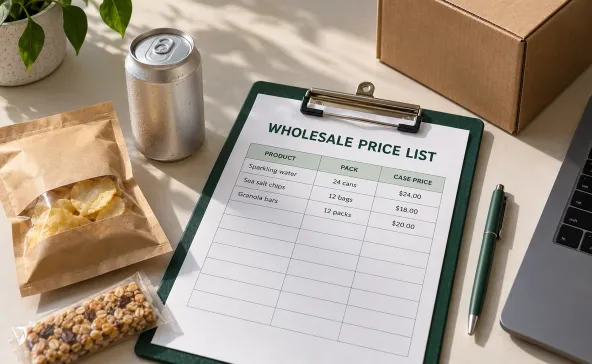
A wholesale price list template needs to make the buying decision straightforward. Buyers need to know what they’re getting for the price, especially when you sell by the case and they compare costs by the unit. A missing pack size can create more confusion than a missing product photo.
The spreadsheet works well while your assortment and account pricing are manageable. As customer-specific lists multiply, catalog management software becomes worth considering because product details and pricing need to stay connected. Either way, the starting point is the same: every price needs a clear selling unit.
Download the free template below or use the copyable tables to build your own list in Excel or Google Sheets. They’re filled with sample products and prices so you can check the calculations before replacing them with your catalog.
Start with the unit buyers actually order
Choose one selling unit for each row. If you sell full cases, show the case price and the number of individual items inside. You can also show the equivalent wholesale price per item, but label it as a comparison figure so buyers don’t assume they can order singles.
A $24 case containing 24 cans costs $1 per can. Change the pack to 12 cans without changing the case price, and the per-can cost doubles. Descriptions such as “seltzer, $24” leave too much for reps and buyers to work out themselves.
Give different pack sizes their own rows and use the same SKU codes your warehouse uses. Consistent SKU management keeps a 12-pack from being mistaken for a 24-pack when orders arrive by email. Don’t rename products just to make the price sheet look cleaner if the new names won’t match picking documents.
Download the free price list template
Start with the Excel workbook or make your own Google Sheets copy. Both include Prices, Terms, and Examples tabs with sample products, unit-price calculations, and pricing checks. Replace the sample data and terms before sharing with buyers.
Excel downloads without signing in. To save your own Google Sheets copy, sign in to your Google account. The original template stays view-only.
Copy this wholesale price list template
If you prefer to build the workbook yourself, create two tabs named Prices and Terms. Copy the product table into cell A1 on Prices, including the header row. The seven columns should run from A through G, with the first product on row 2.
These are sample USD prices, excluding applicable taxes and freight. All products are sold by the case. “Unit price” means the equivalent wholesale price per individual item, not a separate ordering option.
| SKU | Product and size | Units per case | Case price | Unit price | Minimum cases | Case increment |
|---|---|---|---|---|---|---|
| 00101 | Lime seltzer 12 oz | 24 | 24.00 | 1.00 | 2 | 1 |
| 00102 | Lemon seltzer 12 oz | 24 | 26.40 | 1.10 | 2 | 1 |
| SNK-101 | Sea salt chips 2 oz | 12 | 18.00 | 1.50 | 1 | 1 |
| SNK-102 | Paprika chips 2 oz | 12 | 19.20 | 1.60 | 1 | 1 |
Minimum cases is the smallest quantity accepted for that SKU. Case increment tells buyers how quantities can increase. A minimum of two cases with an increment of one permits two, three, or four cases. If you require even case quantities, set both the minimum and increment accordingly and explain the rule.
Put commercial terms beside the prices
Copy this second table to your Terms tab. The sample values demonstrate what to include. Replace them with your approved terms before sharing, and add your business name and ordering contact at the top.
| Field | Sample entry |
|---|---|
| Price list name | Standard wholesale USD |
| Eligible accounts | Approved standard wholesale accounts |
| Effective date | November 1, 2026 |
| Valid through | November 30, 2026 |
| Currency | USD |
| Selling unit | Full cases only |
| Minimum order value | $150 in merchandise after discounts, before taxes and freight |
| Payment terms | Net 30 for approved credit accounts |
| Freight | Quoted separately before order confirmation |
| Taxes | Applicable taxes excluded from listed prices |
| Availability | Confirmed when orders are accepted |
Keep the product-level minimum order quantity separate from the minimum dollar value for the whole order. Buyers can meet every SKU minimum and still fall short of the delivery minimum. State whether the dollar threshold is measured before or after discounts.
Also decide what happens to orders already accepted when new prices take effect. Put that policy in the terms rather than leaving reps to negotiate it on each call.
Set up your Excel or Google Sheets price list
The downloadable template already includes the sample data and formulas. If you are building from the tables instead, follow the setup below. In either version, replace the samples and verify your prices and terms before sharing.
Format your identifiers before pasting. In Excel, set column A to Text. In Google Sheets, use Plain text. The leading zeros in 00101 belong to the SKU and need to survive copying into orders. Microsoft’s guidance on leading zeros explains why Excel otherwise treats numeric-looking product codes as numbers.
Then finish the workbook in this order.
- Paste the product table into Prices!A1 and check that each header lands in its own column. If pasted text stays in one column in Sheets, use Split text to columns and select the delimiter present in your pasted data.
- Replace the sample items with your current products. Keep one sellable pack size per row, with its matching SKU.
- Format columns D and E as currency with two decimal places. Keep units per case and case quantities as whole numbers.
- Enter =ROUND(D2/C2,2) in E2, then fill it down through your product rows. Check that every value in column C is greater than zero before using the formula.
- Freeze the header row and turn on filters. Protect calculated cells against accidental edits, while leaving the fields your team updates editable.
- Complete the Terms tab and check both tabs together before creating a customer copy.
The formula works in Excel and Google Sheets with English-language formula settings. It divides case price by pack size, then rounds the displayed unit price to two decimals. For the first sample row, 24 divided by 24 returns 1.00.
Treat the case price as the amount buyers pay. Rounding means the displayed unit price won’t always multiply back to the exact case price. A $20 case with 12 items displays $1.67 per item, but the case still costs $20, not $20.04.
Your Excel price list template can stay in .xlsx format. For a Google Sheets price list template, maintain a native Sheets file so your team can work from the same current version. Export a dated PDF when buyers need a read-only price sheet, and check that both prices and terms are included.
Add account pricing without making the sheet ambiguous
Start with the final price buyers are entitled to pay. Showing several discount columns and expecting customers to work out which ones apply creates avoidable questions.
Keep the underlying calculation in an internal workbook. For a percentage discount, add Discount in column H and Final case price in column I. Enter discounts as percentages, such as 10%, and use =ROUND(D2*(1-H2),2) in I2. A $24 standard case price with 10% off becomes $21.60.
For a fixed-dollar case discount, use a separate clearly labeled column and subtract the discount from the standard case price. Don’t reuse a percentage column for dollar amounts. Check that discounts cannot produce unintended zero or negative prices before you issue the list.
In customer copies, show the final case price in column D and recalculate column E from it. Paste approved values into a separate customer workbook so you don’t expose cost calculations or other accounts’ discounts. Include the account or pricing group in the list name.
Volume breaks need more than a “bulk price” heading. Explain whether the threshold applies to each SKU or the combined order, and whether the lower price applies to all qualifying cases or only additional cases. Agree on those rules as part of your distribution pricing strategy before adding them to a spreadsheet.
Check the list the way buyers will use it
Test a small mixed order before sending the file. Two cases of lime seltzer cost $48, and one case of sea salt chips costs $18. The $66 merchandise total meets the sample SKU minimums but fails the $150 order minimum. Reps need to spot both conditions.
Next, compare a few rows with the prices your order-entry team will actually use. Include an account-specific item and a product whose pack size recently changed. A spreadsheet that disagrees with invoices will create disputes even when every formula works.
Before release, check these details.
- Every SKU matches a current sellable product and pack size.
- Discounted case prices produce the correct unit comparisons.
- Effective dates and account eligibility are visible.
- Buyers have a clear ordering contact and understand freight charges.
- Customer copies contain no internal costs or other accounts’ pricing.
Don’t hide sensitive tabs and assume they’re private. Google explicitly warns that protected sheets aren’t a security measure. Build a separate customer-facing file that contains only the information that customer is allowed to see.
Know when maintaining spreadsheets costs more than it saves
A price list template is a good fit when you have a manageable assortment and occasional price changes. Trouble starts when reps keep local copies while buyers reorder from older attachments. Updating the master file doesn’t update those copies.
Track how often your team corrects prices during order entry. If staff must check account exceptions on most orders, another spreadsheet tab won’t remove that work. Buyers who regularly send repeat orders may be better served by B2B portal software that connects their catalog to ordering.
When you review software, bring actual pricing exceptions. Ask how case packs are represented and which prices appear for each account. Check what happens when prices change after buyers start an order. A generic catalog demo won’t answer those questions.
Keep the price buyers see tied to what they can order
A useful wholesale price list makes quantities and prices unambiguous. Keep the case pack beside the price, publish the terms buyers need, and retire old copies when you issue replacements.
For CPG brands and distributors outgrowing separate spreadsheets, SimplyDepo brings product catalogs and customer price lists together. Bring your current account lists to a walkthrough and review your account pricing and pack sizes. See SimplyDepo’s catalog management software.
Frequently asked questions
Include a recognizable product description and SKU, plus the selling unit and its price. For case-based products, show units per case and any minimum quantity. Add currency and effective dates, with payment and freight terms buyers can find without asking their rep.
Yes. Download the Excel workbook or make your own Google Sheets copy using the buttons above, or copy the tables in this article. Replace the sample data and terms before use. You do not need to submit contact details to SimplyDepo. Excel downloads without signing in; saving your own Google Sheets copy requires a Google account.
Add MSRP if buyers use it to assess shelf pricing, but put it in its own column labeled as a suggested retail price per unit. Keep it separate from wholesale unit prices so buyers don’t confuse their purchase cost with a suggested selling price. Use approved, current values for each product.
Update them whenever approved prices or selling terms change. Check the list before each new issue, give it an effective date, and tell affected buyers which version replaces the old one. Frequent changes are a reason to move away from emailed attachments toward a maintained catalog.

-
 October 28, 2026
 -
October 28, 2026
-
October 28, 2026


