B2B Mobile Commerce: Why Mobile-First Ordering Is Taking Over


📌 Key takeaways:
- B2B mobile commerce runs on two screens, not one: the buyer’s phone in the back office and the rep’s phone standing in the aisle. Most guides equip only the first.
- A wholesale order carries per-account price lists, case packs, minimums and credit terms, so consumer checkout patterns break on contact with it.
- Offline capture is the requirement nobody writes into the brief, and it is the one that decides whether a basement stockroom produces an order or a phone call.
- Beltay moved from catalog-only ordering to 24/7 self-service plus full field execution, and its average order value has grown year over year since.
Somebody in your operation is already taking orders on a phone. It might be a rep thumbing a note into WhatsApp between stops, a buyer texting a reorder at 9pm, or an owner photographing a shelf and emailing it to the office. None of that is a system. All of it is B2B mobile commerce, arriving whether or not anyone planned for it.
The advice available on the topic is mostly written for the wrong buyer. Search it and you get material about consumer-style storefronts: responsive design, cart abandonment, one-tap checkout. That is genuinely half the picture.
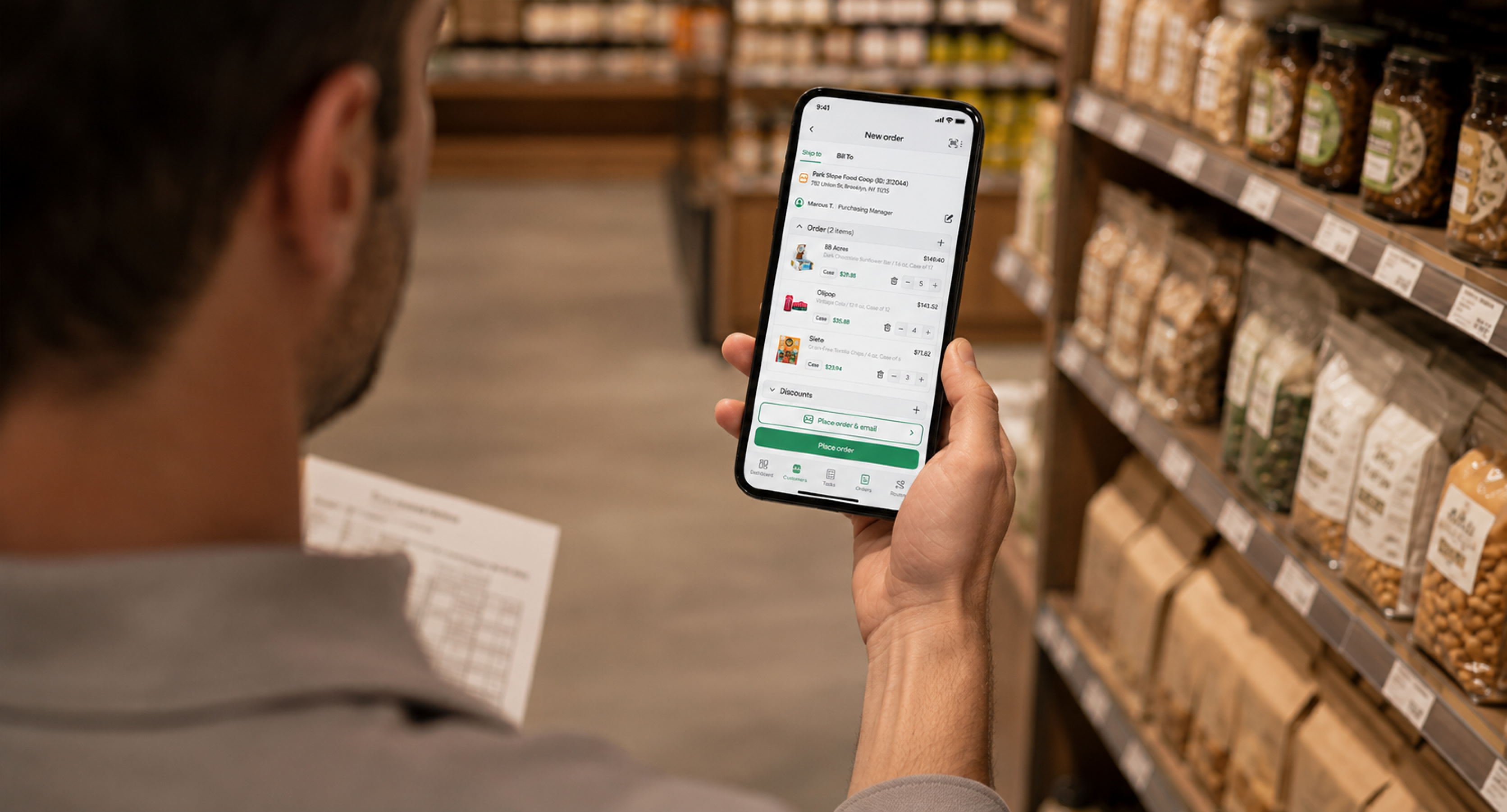
In wholesale and distribution, the other half is a salesperson standing in a cramped stockroom with a phone in one hand. In plenty of operations that person writes more orders than the portal does, and for longer than anyone expected at purchase.
This guide covers both halves. What mobile B2B ordering actually is, why it is taking over now, what it demands that retail checkout never had to handle, where it goes wrong, and how to roll it out without the reps quietly going back to paper.
What B2B Mobile Commerce Actually Means
B2B mobile commerce is the placing, approving and fulfilling of wholesale orders on a phone or tablet, by either the buyer or the sales rep, against negotiated account-specific terms. The distinguishing feature is not the screen size. It is that the transaction carries commercial context a consumer checkout never has to know about.
That context is what makes the category its own thing. A consumer buys one unit at one published price with a card. A grocery buyer orders eleven SKUs in mixed case quantities, at prices negotiated for that account, against net-30 terms, above a minimum that triggers free freight, from a catalog where four items are seasonal and two are allocated.
Scale matters here too. The National Association of Wholesaler-Distributors puts wholesale distribution at $8.6 trillion and nearly a third of the U.S. economy, which is the context missing from most mobile commerce writing. B2B is not a smaller cousin of retail ecommerce. It is the larger market that happened to digitize later and less visibly.
So when the category borrows retail’s vocabulary, it imports assumptions that do not survive. “Cart abandonment” means something different when the cart belongs to a rep who got interrupted by a delivery truck. “Checkout friction” means something different when the friction is a credit hold that should have stopped the order.
Why Mobile-First Ordering Is Taking Over Now
Mobile-first ordering is winning because the phone stopped being a secondary device for the people placing wholesale orders. Pew Research Center found that 91% of U.S. adults own a smartphone, and more usefully, that 16% are smartphone-only internet users with no home broadband at all.
That second figure is the one worth sitting with. For a meaningful slice of the working population, the phone is not a convenient alternative to a computer. It is the only computer. A store owner running a single-location bodega, a merchandiser between accounts, an independent buyer doing paperwork at the counter: for these people a desktop-only ordering system is not inconvenient, it is unreachable.
Three other pressures compound it. Buyer expectations reset outside of work, where every consumer transaction is now thumb-sized and instant. Labor is tighter, so the same rep covers more accounts and has less desk time to reconcile paperwork at night. And the cost of an order error has gone up, because a wrong invoice on a thin-margin account does not just cost the correction, it costs the buyer’s confidence.
None of this is a prediction. It is a description of what has already happened to the people on both ends of your order flow.
The Two Mobile Surfaces Most Guides Ignore
Here is the argument this article exists to make: B2B mobile commerce has two distinct surfaces, and most operations buy for one and then wonder why the numbers disappoint.
Surface one is the buyer’s phone. A self-service storefront where an account logs in, sees its own catalog and its own pricing, and reorders without talking to anyone. This is what the category writing means by mobile commerce, and it is real. It captures reorders at hours no rep works and it removes the phone-and-email tag that eats an inside salesperson’s morning.
Surface two is the rep’s phone. An app that captures the order in the aisle, at the moment the buyer says yes, against the same catalog and the same price list. This surface is invisible in most B2B ecommerce coverage and it is usually the one that moves revenue first, because in wholesale the order is frequently created by a conversation rather than by a search.
The two are not competitors and they are not a sequence. They are the same order flow reaching the same fulfillment queue from two directions, and the operations that get this right treat multi-channel order management as the design problem rather than choosing a side.
Buying only the portal produces a familiar failure: adoption stalls at a small fraction of accounts, the reps keep writing orders on pads because nothing captures theirs, and the office ends up re-keying paper into the same system that was supposed to eliminate re-keying. Buying only the rep app produces the opposite failure, where reorders that should cost nothing to service still consume a rep visit.
Beltay, a New York distributor of European specialty food brands supplying supermarkets across the city, is a clean example of the sequence done properly. It ran catalog-only ordering, then upgraded to full sales execution alongside 24/7 customer self-service, and its average order value has grown year over year since.
The detail worth copying from the Beltay case study is that self-service did not replace the field team. It freed the field team to sell rather than transcribe.
What a Wholesale Order Needs That Consumer Checkout Doesn’t
A wholesale order carries five pieces of commercial logic that a consumer cart has never had to handle, and every one of them is a place where a generic mobile storefront breaks.
| Requirement | What it means in practice | What breaks without it |
|---|---|---|
| Per-account price lists | Each account opens the catalog at its own negotiated prices | Buyer sees list price, calls to argue, rep re-quotes by hand |
| Case packs and units of measure | Ordering by case, layer, or pallet, not by single unit | Buyer orders 12 expecting cases, receives 12 eaches |
| Minimum order quantities | Thresholds that gate free freight or the order itself | Undersized orders ship at a loss or bounce back to a rep |
| Credit terms and holds | Net terms, limits, and stop-ship on overdue accounts | Order accepted against an account that should have been blocked |
| Promotions and volume rules | Free case, percentage off, dollar amount, quantity breaks | Promo applied inconsistently, invoice disputes follow |
Get any one of these wrong and the order still transmits. That is what makes them dangerous. The failure does not appear at checkout, it appears three days later as a credit memo, a redelivery, or an account that stops trusting the invoice.
This is also the honest reason a general ecommerce platform struggles here. It is not that the platform is weak. Pricing logic in wholesale lives per-relationship rather than per-product, and a system built on the second assumption has to bolt the first one on.
Map your own B2B ecommerce workflow before you evaluate any tool against it, because the five rows above are the specification and most demos are built to avoid all five.
B2B Mobile Commerce Benefits Worth Measuring
The B2B mobile commerce benefits that hold up under scrutiny are the ones you can put a number against within a quarter. The rest are atmosphere.
Order capture moves from end-of-day to point-of-decision, which is the single largest one. When a rep writes an order on a pad and enters it that evening, three things can happen between the two moments: the rep misremembers a quantity, the buyer changes their mind, or the evening never arrives because the rep is tired. Capturing in the aisle removes all three.
Re-keying disappears. An order entered once by the person who took it does not need an office worker to retype it, which removes both the labor and the transcription error. The second is worth more than the first on thin margins.
Reorders decouple from rep availability. A buyer who can reorder at 9pm on a Sunday does so, and that order costs you nothing to service. This is the specific mechanism behind self-service revenue growth, and it is why the portal earns its place even in a field-sales-led operation.
Visibility arrives same-day rather than next-day. A manager who can see what was sold, where, and by whom before the day ends can act on it. A manager reading yesterday’s paperwork is doing history.
Cash cycles tighten. Invoice at the stop, collect at the stop, and the gap between delivering value and being paid for it narrows. Distributors underrate this until they measure it.
B2B Mobile Commerce Challenges, and What Actually Causes Them
The B2B mobile commerce challenges that sink rollouts are rarely technical. They are catalog, connectivity, and adoption, in that order of frequency.
Catalog quality is the first and largest. A mobile catalog exposes every data problem you have been living with. Missing photos, inconsistent pack descriptions, duplicate SKUs from two suppliers, prices that differ between the sheet and the system. On a desktop, a human absorbs these. On a phone, the buyer sees a blank tile and stops.
Connectivity is the second. Stockrooms are in basements. Rural routes have holes. Trade show halls are famously hostile to signal. A system that requires a live connection to add a line item will fail in exactly the places where orders get written.
Adoption is the third, and it is usually a symptom. Reps do not resist mobile ordering because they dislike technology. They resist it when it takes longer than the pad it replaced. If placing an eleven-line order requires more taps than writing eleven lines by hand, the pad wins, and it deserves to.
Integration is the quiet fourth. An order captured on a phone that does not reach accounting is a nicer-looking version of the same manual reconciliation. The test is whether an approved order posts to your books without anyone touching it.
| Challenge | Root cause | The fix that works |
|---|---|---|
| Buyers abandon the catalog | Missing photos, unclear pack sizes | Clean the top 200 SKUs before launch, not all of them |
| Orders vanish in dead zones | System requires live connection | Offline capture with sync on reconnect |
| Reps revert to paper | More taps than the pad | Time a real 10-line order before rollout |
| Office still re-keys | No accounting integration | Confirm order-to-books posting in the trial |
| Invoice disputes rise | Price list not applied per account | Load real account pricing in the pilot, not demo data |
Notice that four of the five fixes happen before launch rather than after. Mobile ordering rollouts fail in the preparation, and they fail quietly, which is why the preparation is worth more attention than the software comparison.
Offline Is the Requirement Nobody Writes Down
Offline capability deserves its own section because it is the requirement most often discovered after purchase. Every vendor demo happens on good office wifi. Every real order does not.
The distinction that matters is between an app that caches and an app that captures. A caching app lets a rep view the catalog without signal but cannot complete an order. A capturing app lets the rep build the full order, take the signature, and hold it locally until the phone reconnects, at which point it syncs without anyone remembering to press anything.
Ask the question precisely during evaluation, because the marketing language for both is identical. Run this sequence on a candidate app during the trial, in this order:
- Turn on airplane mode before opening the app, not after.
- Build an order of at least eight lines across three product families.
- Apply a per-account price list and a volume promotion while still offline.
- Capture an electronic signature.
- Force-close the app entirely and reopen it, still offline.
- Confirm the order is intact, including the signature and the pricing.
- Reconnect and confirm it syncs without anyone pressing a sync button.
Most systems fail at step 3 or step 5. Step 3 exposes apps that cache a catalog but calculate pricing server-side, and step 5 exposes apps that hold the order in memory rather than on disk.
The stakes are concrete. A rep who loses a written order in a basement does not just lose the order. They lose the buyer’s belief that the new system is better than the pad, and that belief is expensive to rebuild.
How to Roll Out Mobile Ordering Without Losing the Reps
Rollout is where most of the value is won or lost, and the sequence below is ordered by what fails first rather than by what is easiest.
Step 1: Clean the Catalog That Buyers Will Actually See
Pull your top 200 SKUs by order frequency and fix those first. Do not attempt the full catalog before launch, because you will not finish and the long tail is not what stalls adoption. Each of those 200 needs:
- a photograph of the actual selling unit, not the manufacturer’s hero shot
- a pack description stating both the case count and the inner unit size
- one canonical SKU, with duplicates from second suppliers merged or retired
- the current price, reconciled against what your invoices actually charged last month
- a product family assignment, so the catalog is browsable without search
The last one gets skipped most often and costs the most. A buyer who cannot browse to a product will not search for it by name; they will call the rep, which is the behavior you were trying to retire.
Step 2: Load Real Account Pricing Before Anyone Tests It
Run the pilot against three real accounts with their actual negotiated price lists, minimums and terms. Demo data hides exactly the problems that matter, because vendor demo environments are built with small catalogs and simple pricing. A price list with 40 exceptions behaves differently.
Step 3: Time a Ten-Line Order Against the Pad
Have your fastest rep place a realistic ten-line order both ways and time both. If the app is slower, fix that before rollout rather than arguing with the rep afterward. This single test predicts adoption better than any feature comparison, and choosing among mobile sales tools on anything else tends to produce a shelf-ware purchase.
Step 4: Launch to the Field Before the Portal
Reps generate the order volume that proves the catalog is right. Let them find the pricing errors and the missing pack sizes during a controlled period, then open self-service to buyers against a catalog that has already been stress-tested. Opening the portal first exposes your data problems to customers.
Step 5: Open Self-Service to Your Best Accounts First
Start with accounts that reorder predictably and already trust you. They tolerate small friction, they give honest feedback, and their reorder pattern is the clearest signal of whether the portal is working. Rolling B2B portal software out to the whole book at once means discovering problems at maximum blast radius.
Sequenced this way, each stage de-risks the next. The catalog gets tested by people you employ before it gets tested by people who pay you.
What to Measure Once It Is Live
Four numbers tell you whether mobile ordering is working, and they should be reviewed monthly rather than quarterly.
| Metric | What it tells you | The direction that matters |
|---|---|---|
| Share of orders captured in-app | Whether reps actually switched | Rising steadily, and still rising at month six |
| Self-service order share | Whether buyers adopted the portal | Growing off a small base rather than flat |
| Order correction rate | Whether capture quality improved | Falling; this is the accuracy proof |
| Time from order to invoice | Whether the back office benefited | Falling from days toward same-day |
Set your own targets from your baseline rather than from a published benchmark, because in-app capture share depends heavily on how many of your accounts are rep-served versus self-served, and a number that means success in one operation means stagnation in another.
The correction rate is the one to watch hardest. It is the least flattering, the hardest to game, and the one that tells you whether the system removed manual work or merely relocated it.
Where SimplyDepo Fits
SimplyDepo sells a single mobile platform spanning field sales, retail execution, route management and B2B ordering, aimed at consumer-goods brands, wholesalers and merchandising teams. Both surfaces described above are native to it rather than separate purchases.
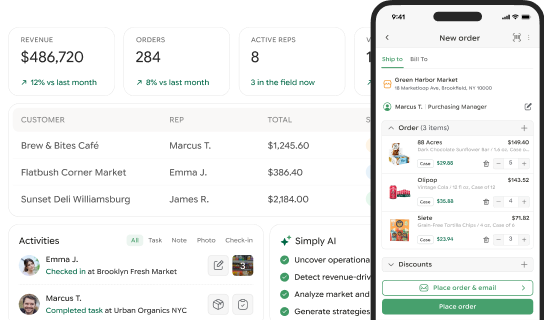
Reps capture orders in an offline-first iOS and Android app, buyers reorder through a self-service storefront, and both land in the same fulfillment queue alongside orders arriving by email and phone.
The commercial logic travels with the order. Per-account price lists apply automatically, volume promotions calculate at capture, electronic signatures attach at placement, and approved orders post to QuickBooks Online when they ship.
Reps can collect cash, check, or card payments via Stripe at the stop and print an invoice on a Zebra Bluetooth printer before leaving. Rates open at $69 per rep monthly on annual billing at the one-to-five-rep tier, and the 30-day trial, onboarding and team training all carry no charge. The buyer-side half of that is documented in the storefront on mobile release notes.
Three limits are worth stating plainly, because a platform article on a vendor’s own blog is worth less if the reader discovers them later.
It is not an ERP and it does not take the place of accounting software. Approved orders push into QuickBooks Online, while the Desktop edition will not connect at all, which is the most frequent reason a distributor turns out to be unable to buy it.
It is also field-sales-first with a portal attached rather than a standalone ecommerce platform, so an operation whose orders arrive overwhelmingly through anonymous web traffic is shopping in the wrong category. Coverage runs to the United States and Canada, with a design range of one to a hundred reps.
To see rep-side capture and the portal running against your own catalog and price lists, book a demo and bring a real account’s pricing rather than a sample.
Choosing Between a Portal, an App, and Both
Most operations do not need to answer this as an either-or, but budget sometimes forces a sequence. The deciding question is where your orders originate today.
If a rep or an inside salesperson creates most orders through conversation, equip the field first. Order capture at the point of decision is where the accuracy and the speed gains are, and a B2B ordering app pays back faster than a portal your accounts have not been trained to use.
If buyers already send you reorders by email or a web form without a conversation, the portal is the higher-return first move, because that demand exists and is currently being serviced by a human retyping it.
If you genuinely have both patterns, which is common once a book of accounts gets past a handful, then the requirement is a shared catalog and a shared fulfillment queue rather than two systems that reconcile nightly. Running one wholesale order management system behind both surfaces is what keeps inventory honest when an order can arrive from either direction.
Whichever you sequence first, decide it from your own order-origin mix rather than from a category guide, including this one.
Frequently Asked Questions
B2B mobile commerce is the placing and processing of wholesale orders on a phone or tablet, by a buyer through a self-service storefront or by a sales rep in the field, against account-specific pricing and terms. It differs from consumer mobile commerce because each order carries negotiated price lists, case-pack units of measure, minimum order quantities and credit terms rather than a single published price.
The measurable ones are order capture at the point of decision instead of end of day, the removal of office re-keying and its transcription errors, reorders that arrive outside rep hours at no servicing cost, same-day visibility into field activity, and a shorter gap between delivery and payment when invoicing happens at the stop. Benefits that cannot be tied to one of those within a quarter are usually atmosphere.
Catalog data quality is first: missing photos, inconsistent pack sizes and duplicate SKUs stop buyers cold on a small screen. Connectivity is second, since stockrooms, rural routes and trade show halls all break systems that need a live connection. Rep adoption is third and is usually a symptom of the app being slower than the paper pad it replaced.
Not with an offline-first app. The distinction to test is whether the app merely caches the catalog for viewing or genuinely captures a complete order, including the signature, and holds it locally until the device reconnects. Put a candidate app in airplane mode, build a full multi-line order, close and reopen it, then reconnect, because the marketing language for caching and capturing is identical.
Only if your orders already arrive without a conversation. Where the field team creates most of the order volume, a portal bought alone tends to stall at a low share of accounts while reps keep writing on pads. The reliable pattern is one catalog and one fulfillment queue serving both the rep app and the buyer portal.
—
 Rated 4.7 on G2
Still re-entering orders manually?
-
 September 15, 2026
 -
 September 15, 2026
 -
 September 15, 2026