
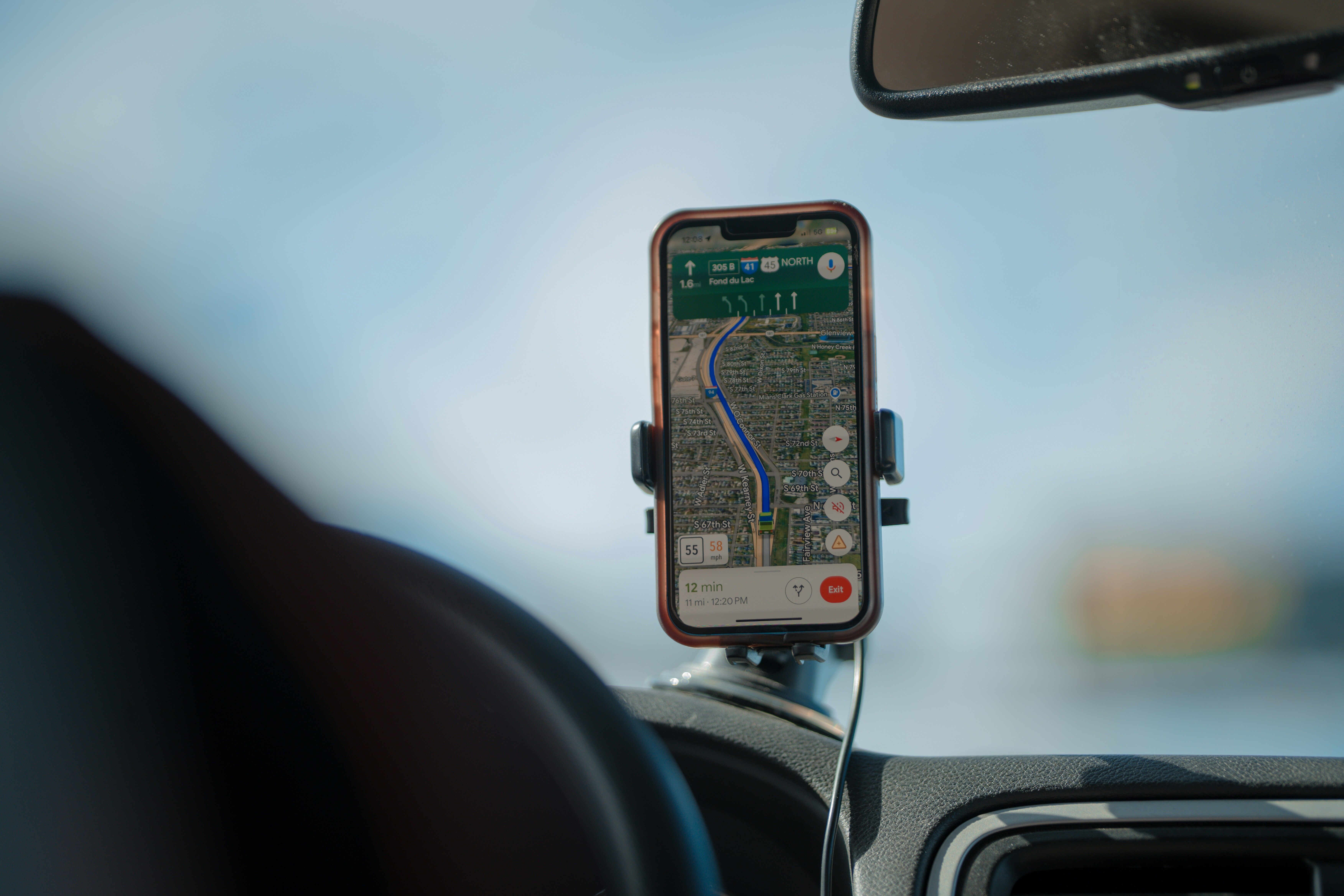
Sales reps spend 60% of their time on tasks other than selling. And that gap is even wider for field teams.
A route can look efficient on paper and still lead to a poor sales day.
Field reps can hit every planned stop and still lose time on the wrong accounts, miss reorder opportunities, or walk into stores without enough context to sell well. That is why sales route planning software has become a bigger priority for field teams.
The right tool does more than mapping stops. It helps reps choose where to go, when to go, and how to make each visit count.
We’ve handpicked the top sales route planning software for field teams that are truly worth the money.
💡 Key Takeaways
- SimplyDepo is best for brands, distributors, and field sales teams that need route planning connected to order management and retail execution in one platform
- Badger Maps is useful for outside sales reps that need map-based route optimization with CRM integration
- BeatRoute works well for FMCG, CPG, and distribution teams in emerging markets that need AI-driven route planning and full sales force automation
- Salesforce Maps suits enterprise field sales teams already on Salesforce that need location intelligence and route optimization built into their CRM
- SPOTIO is ideal for outside sales teams in solar, roofing, telecom, and home services that need territory-first route planning with strong rep accountability
- Map My Customers is suitable for B2B outside sales reps and small field teams that need a straightforward mapping and routing tool with light CRM functionality
What to Prioritize When Choosing Sales Route Planning Software
A sales route planner is only useful if it helps reps make better visits. Here’s what to check before choosing one:
It has to work the way field reps actually work
That means mobile-first, offline-capable, and fast to adjust mid-day. If replanning a route when an appointment cancels takes more than 30 seconds, reps won’t do it. They’ll improvise, and as a result, coverage will suffer.
The route should know your accounts, not just their addresses
Visit history, last order date, open follow-ups, account priority…this context should be visible before a rep pulls into the parking lot. A route without account intelligence is just a map.
It should surface what reps would otherwise miss
The best route planning tools flag nearby accounts when a rep has a gap in their day, or highlight outlets that are overdue for a visit. That’s how a route turns into a prospecting opportunity.
Post-visit action has to be frictionless
Overwhelmed sellers are 45% less likely to hit quota. And if logging a visit, capturing an order, or adding a note requires switching apps or waiting until the rep gets home, it won’t happen consistently. The route should lead directly into execution, not create more admin.
The fit has to match your business model
A tool built for door-to-door B2C canvassing works very differently from one built for wholesale distribution or CPG field sales. CPG field teams specifically need route planning that connects to retail execution — not just stop sequencing. Know which category you’re in before you evaluate features.
Integration depth determines real-world value
Salesforce’s State of Sales report found that 84% of sales teams without a unified platform are already planning to consolidate, and you should too. A route that doesn’t connect to your CRM, inventory system, or accounting platform forces reps to work in a silo.
💡 Pro Tip:
Pilot with your worst territory, not your best. If the tool improves results where conditions are hardest, it’ll work everywhere else.
What Are The Top Sales Route Planning Software for Field Teams? At A Glance
| SimplyDepo | Badger Maps | BeatRoute | Salesforce Maps | SPOTIO | Map My Customers | |
| Best For | Brands, distributors, and field sales teams that need route planning connected to order management and retail execution | Outside sales reps who prefer map-based route optimization with CRM integration | FMCG, CPG, and distribution teams in emerging markets seeking AI-driven route planning | Enterprise field sales teams already on Salesforce that need location intelligence and route optimization built into their CRM | Outside sales teams in solar and roofing that ned territory-first route planning with strong rep accountability | B2B outside sales reps and small field teams that want simple mapping and routing with light CRM functionality |
| Route Planning Features | Route optimization, visit prioritization, real-time execution tracking, offline-first mobile app, territory management | Multi-stop route optimization, map-based account visualization, turn-by-turn directions, territory creation | AI-powered beat planning, dynamic visit reprioritization, offline-first mobile app, SKU-level order recommendations | Route optimization with geofencing, territory planning and balancing, live rep tracking, interactive map visualization | Multi-stop optimization up to 150 stops, territory creation, location-verified check-ins, AutoPlays, offline mode | Multi-stop routing, Smart Planner for daily activity recommendations, one-tap check-ins, territory management |
| Limitations | Built for full distribution operations; teams that only need route planning may find the platform broader than needed | Not a full CRM, CRM integration free only for teams of 5+ licenses | Some features are FMCG-centric, steeper learning curve without onboarding support, limited mobile customization | Only practical for existing Salesforce users, steep learning curve, expensive for smaller teams | 5-user minimum, occasional app crashes, reporting focuses on activity tracking over revenue outcomes | Not a full CRM, limited pipeline depth, better suited to individual reps or small teams than large operations |
| Pricing | 30-day free trial, no credit card required | Business: $58/user/month. Enterprise: $95/user/month. 14-day free trial available | Custom pricing | From $75/user/month. Advanced: $125/user/month. Existing Salesforce subscription required | Custom pricing | From $55/user/month (individuals). From $79/user/month (teams) |
1. SimplyDepo
Best for: Brands, distributors, merchandisers, and field sales teams that need route planning connected to order management and retail execution in one platform

SimplyDepo is a route planning software that unifies field execution and order management in one system. It replaces disconnected tools with real-time visibility across territories, and helps field teams reduce travel time, increase daily coverage, and execute more consistently at every stop.
SimplyDepo’s key features
Route optimization and execution

SimplyDepo builds optimized routes before reps hit the road and tracks execution in real time. Managers get a single view of territory coverage, rep activity, and fulfillment rates without chasing updates from the field.
Visit prioritization
Reps are guided toward the highest-value accounts based on sales performance, visit history, and growth signals. The route is built around impact, and not just the fastest path between stops.
Mobile navigation and field sync
Sales reps can navigate routes, capture orders, log visit activity, and sync data directly from the SimplyDepo mobile app. It works fully offline and updates automatically once connectivity is restored. Records stay accurate regardless of signal.
SimplyDepo’s pros
- Covers the full distribution workflow in one platform: CRM, order management, route optimization, visit scheduling, and retail execution
- SimplyAI unlocks forecasting, predictive insights, and shelf-level trends
- Free data migration included, which removes a common barrier when switching from another system
- 30-day free trial with no credit card required and full platform access from day one
- Tailored onboarding, free live training, and 24/7 support included for all customers
- Modular add-ons mean teams can expand the platform without switching tools as they grow. Options include forecasting, a branded storefront, purchase orders, and custom dashboards
SimplyDepo’s cons
- Built for full distribution operations, so teams that only need route planning may find the platform broader than their immediate requirements
SimplyDepo’s pricing
Get a free 30-day trial of the full platform. No credit card required.
2. Badger Maps
Best for: Outside sales reps and field sales teams that need map-based route optimization with CRM integration

Badger Maps is a routing and mapping app built for outside sales teams. It plots customers and prospects on an interactive map, optimizes multi-stop routes, and syncs with the CRM reps already use.
Badger Maps’ key features
- Optimized multi-stop routes with turn-by-turn directions via Google Maps, Apple Maps, or Waze
- Map-based account visualization with filters for priority, sales stage, next step, and custom metrics
- Two-way, real-time CRM integration with Salesforce, HubSpot, Microsoft Dynamics, Zoho, Pipedrive, NetSuite, and more
- Territory creation, balancing, and performance tracking via automated weekly reports
Badger Maps’ pros
- Route planning that takes hours manually gets done in minutes
- Strong, responsive customer support
- Easy to onboard; reps can get going with a simple account import
Badger Maps’ cons
- Not a full CRM, so teams with complex pipeline needs will still need a separate tool
- Mobile app experience can feel clunky compared to desktop
- CRM integration is free only for teams of 5+ licenses; smaller teams have to pay extra
Badger Maps’ pricing
Business plan starts at $58/month per user. Enterprise at $95/month per user. 14-day free trial available.
💡 Did You Know?
73% of B2B buyers actively avoid suppliers whose outreach feels irrelevant. It’s a problem that starts long before the pitch…when reps visit the wrong accounts or show up without enough context.
3. BeatRoute
Best for: FMCG, CPG, and distribution teams in emerging markets that need AI-driven route planning and full sales force automation

BeatRoute is a goal-driven AI platform built for retail sales and distribution teams.
It goes beyond route optimization by connecting beat planning, visit prioritization, order capture, distributor management, and retail execution. The platform also offers AI agents that actively guide reps on where to go, when to go, and what to do at each stop.
BeatRoute’s key features
- AI-powered beat planning and route optimization based on outlet priority, visit frequency, rep availability, and real-time traffic
- Scheduling AI Agent dynamically reprioritizes visits based on signals like sales drops or stock risk
- Order AI Agent recommends SKUs and pre-populates orders based on outlet history and purchase patterns
- Offline-first mobile app that syncs automatically once connectivity is restored
BeatRoute’s pros
- Highly configurable to specific industry workflows and business goals
- Strong AI layer that moves beyond tracking into active execution guidance
- Integrates with ERPs (SAP, Oracle, Odoo), CRMs, DMS, and financial systems via REST APIs or BeatRoute’s low-code middleware
BeatRoute’s cons
- Navigating the platform without onboarding support can be frustrating
- Some features are more FMCG-centric, which may require workarounds for other industries
- Mobile customization is limited compared to the admin portal
BeatRoute’s pricing
Custom pricing
4. Salesforce Maps
Best for: Enterprise field sales and service teams already running on Salesforce that need location intelligence and route optimization built into their CRM

Salesforce Maps is a location intelligence platform native to the Salesforce ecosystem. It visualizes CRM data on interactive maps, optimizes field routes, and manages territories, without leaving Salesforce. For teams already invested in the platform, it removes the need for a separate routing tool entirely.
Salesforce Maps’ key features
- Route optimization and scheduling with auto-logging of field activity via geofencing
- Territory planning and balancing based on rep skills, location, workload, and account data
- Live location tracking of field reps and assets in real time
- Data visualization of accounts and leads on an interactive map
- Mobile app for iOS and Android with full CRM access in the field
Salesforce Maps’ pros
- Deep, native Salesforce integration with no syncing required, CRM data is always current
- Strong territory management and geo-analytics on the Advanced plan
- Easy for Salesforce-native teams to adopt
Salesforce Maps’ cons
- Only practical if you’re already on Salesforce, limited value otherwise
- Steep learning curve for complex features
- The pricing may not be suitable for smaller teams
Salesforce Maps’ pricing
Salesforce Maps starts at $75/user/month. Salesforce Maps Advanced is $125/user/month. No free plan; pricing requires an existing Salesforce subscription.
5. SPOTIO
Best for: Outside sales teams in solar, roofing, telecom, and home services that need territory-first route planning with strong rep accountability and performance tracking

As a field sales engagement platform, SPOTIO combines territory management, route optimization, location-verified activity tracking, and prospect discovery into a single mobile-first system. Where basic route planners focus on drive efficiency, SPOTIO connects daily field activity to pipeline and revenue outcomes.
SPOTIO’s key features
- Multi-stop route optimization with up to 150 stops, with drag-and-drop reordering and handoff to Google Maps, Apple Maps, or Waze
- Territory creation and assignment with color-coded prospect filtering by deal stage, lead status, or custom criteria
- Location-verified activity logging with one-tap check-ins and real-time rep tracking
- AutoPlays offer guided follow-up sequences that show reps the next action to take at each stop
- CRM integrations with Salesforce, HubSpot, Pipedrive, and other apps via Zapier
- Get offline mode via Download My Day and pre-load up to 24 hours of field data
SPOTIO’s pros
- Strong territory intelligence with deep demographic data overlays
- The SPOTIO mobile app is intuitive and quick to deploy across field teams
- AI assistant provides in-app coaching, messaging templates, and product guidance
SPOTIO’s cons
- 5-user minimum makes it impractical for very small teams, pushing them to look for SPOTIO alternatives
- Users occasionally complaint about app crashes and connectivity issues
- The reporting skews more toward activity tracking rather than revenue outcomes
SPOTIO’s pricing
Custom pricing
💡 Pro Tip:
Give new reps a pre-built route for their first two weeks. Let them focus on the visits, not the planning. Once they understand the territory, hand over the controls. Throwing both at once is how you lose them before they’ve started.
6. Map My Customers
Best for: B2B outside sales reps and small field teams that need a straightforward mapping and routing tool with light CRM functionality

Map My Customers visualizes customer and prospect data on an interactive map to optimize multi-stop routes and track rep activity. It includes built-in CRM functionality for contact management, visit logging, and basic pipeline tracking. Teams without a dedicated CRM can use it as a standalone tool, though it is not a full CRM replacement and has limited pipeline depth.
Map My Customers’ key features
- Optimized multi-stop routing built from the map. You can select accounts and generate the fastest route in seconds
- Smart Planner that recommends daily activities, including nearby accounts and overdue follow-ups
- One-tap check-ins with voice-to-text notes and automatic call and email capture
- Territory management with rep-level, region-level, and leadership views
- Integrations with HubSpot, Salesforce, QuickBooks, and more
Map My Customers’ pros
- Easy to onboard and use. Reps adopt it quickly without heavy training
- Strong for territory prospecting; surfaces nearby accounts reps might otherwise miss
- Responsive customer support
Map My Customers’ cons
- Not a full CRM, it offers limited pipeline management and reporting depth
- Occasional glitches require logging out and back in to refresh
- Better suited for individual reps or small teams than large, complex field operations
Map My Customers’ pricing
Pricing starts at $55/user/month for individuals and $79/user/month for teams.
Ready to Choose the Right Sales Route Planning Software?
Choosing the right sales route planning tool comes down to what happens after the route is built. A map tells reps where to go. But the right platform tells them why, and gives them everything they need to make it count when they get there.
Teams that connect routing to execution, order capture, and account intelligence tend to see the biggest gains. SimplyDepo is built around exactly that workflow.
Start with a pilot. Pay attention to what reps say after the first two weeks. That feedback will tell you more than any feature comparison.
FAQs on Sales Route Planning Software for Field Teams
What is sales route planning software?
Sales route planning software helps field sales teams build optimized routes across multiple locations, prioritize customer visits, and track sales activity from a single platform. Where Google Maps gives you directions, a dedicated sales route planner layers in CRM data and visit history so reps spend less time planning and more time selling. The best tools help field sales reps identify high-value opportunities, flag overdue accounts, and adjust daily routes in real time, turning a list of stops into a structured sales process.
How is sales route planning software different from basic route optimization software?
Route optimization software finds the most efficient path between multiple stops. Sales route planning software goes further by combining that with sales data, customer data, account prioritization, and territory management. Reps get context before each visit, not just directions. They can see historical sales data, open follow-ups, and lead priority from a mobile device. That context is what separates efficient routes from routes that actually drive sales performance.
What features should field sales teams look for in a route planner?
The most important route planning features are offline mobile access, CRM integration, visit prioritization, and real-time adjustability. Beyond building optimized routes, the right tool should surface nearby accounts when a gap opens in the day, reduce travel time, and make it easy to collect data immediately after each visit. Sales leaders should also look for territory management and reporting that gives visibility across the full team. Platforms like SimplyDepo bundle all of these into one system, so field teams aren’t stitching together separate tools to cover the basics.
How does sales route planning software improve sales efficiency?
Every hour reps spend on manual planning is time not spent on closing deals. A good sales route planner reduces that overhead significantly, helping reps identify the right customers to visit and follow up consistently without switching between tools. Teams that connect route planning to their broader sales process see better territory coverage and more selling time per day.
Can sales route planning software work for both small teams and large outside sales operations?
Yes, though the right fit depends on the scale of your sales territories. Smaller field teams often do well with lightweight tools that combine an interactive map with basic CRM data and simple route planning. Larger outside sales operations need more, including territory management, performance tracking across multiple reps, and integrations that tie smarter routes to broader business goals. Use a tool like SimplyDepo to connect route planning to order management and retail execution within one platform.


Every missed visit is a missed reorder.


Every missed visit is a missed reorder.
-
 IndustryBest 5 Sales Rep Route Planner Software for Smarter Territory Coverage in 2026April 10, 2026
 -

-

Boost Sales.
Cut Manual Work.
Streamline ordering, routing and retail execution — while giving every rep the tools to grow accounts faster.
-
+15h
Save weekly
per rep -
93%
Increase
buyer retention -
24%
Increase
in retail sales
