Automated Order Processing: A Guide for B2B Teams

💡 Key takeaways:
- Automated order processing replaces manual handoffs with connected workflows, allowing orders to move from capture to fulfillment with less administrative effort and fewer opportunities for error.
- The biggest automation opportunities are usually order capture, inventory validation, customer notifications, and exception handling, where teams often spend the most time on repetitive tasks.
- Automation becomes increasingly valuable as order volumes, sales channels, and pricing complexity grow, helping distributors scale operations without adding the same level of overhead.
- You don’t need a complete system overhaul to get started. Begin with the biggest bottleneck in your current process and expand gradually as each improvement creates a foundation for the next.
A rep visits a retail account, takes down an order by hand, and calls it in at the end of the day.
Back at the office, someone enters it into a spreadsheet. Someone else cross-references the SKUs against a separate inventory sheet. A third person drafts a confirmation email.
By the time that order is officially in the queue, it has passed through four people and taken the better part of an hour, and that’s assuming no one made a typo along the way.
This is a common workflow in wholesale distribution, and it works until growth exposes its weaknesses. Every additional order adds another opportunity for a delay, a missed update, or a costly mistake. Over time, the process becomes harder to scale.
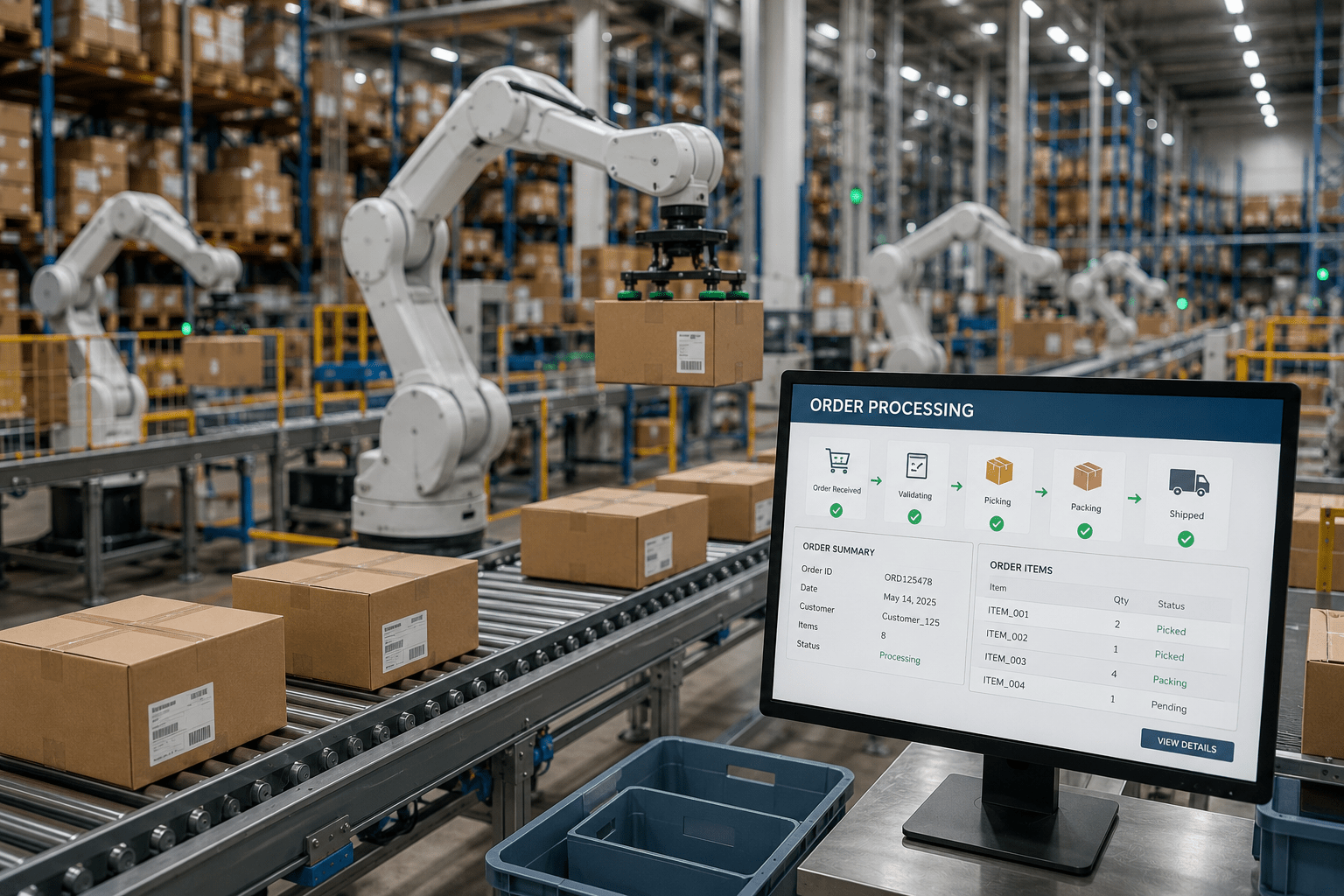
Automated order processing replaces these manual handoffs with connected workflows that move orders from capture to fulfillment with far less effort.
In this article, we’ll discuss how it works and what a practical implementation looks like for CPG brands and distributors.
What is automated order processing and what does it do?
Automated order processing is a set of connected workflows that move an order from capture to fulfillment with minimal human intervention at each handoff.
The core distinction from a manual setup is simple: instead of people re-entering data at each stage, software moves it. Teams handle exceptions; the system handles the routine flow.
Each step that once required someone to act (checking a price, confirming availability, notifying the warehouse) is replaced by a rule-based or automated handoff.
The channel flexibility is especially important for CPG and distribution teams.
Orders arrive from field reps on mobile apps, from retail accounts through self-service portals, from emailed purchase orders, and from EDI connections, often in different formats on the same day.
An automated system routes all of them through the same workflow and presents the team with a single, unified order queue.
The efficiency payoff is meaningful. Organizations that have integrated order automation experience faster processing times.
But the bigger gain for growing distribution teams is less about cost reduction and more about capacity: automation removes the ceiling on how many orders a team can handle before quality degrades.
💡 Interesting to note:
McKinsey reports that B2B buyers now use an average of 10 interaction channels during the purchasing journey. More than half of the respondents expect a seamless experience across those channels and may switch suppliers if they don’t get one. For distributors, that makes a consistent order workflow just as important as offering multiple ordering channels.
The steps in an automated order processing workflow
Understanding the workflow step by step is useful because it shows exactly where automation replaces manual effort and where human judgment is still needed.
1. Order capture
Orders arrive from any channel: a rep’s mobile app, an email, a customer self-service portal, or an EDI connection.
Automation captures them directly into a central system, without requiring anyone to transcribe or re-enter the details.
A rep can take an order at a retail account and have it appear in the system before they leave the parking lot. A retail buyer can submit a purchase order through a portal at 10 PM and have it confirmed without anyone in the office being awake.
2. Validation and pricing
Once captured, the system checks the order against predefined rules: customer-specific pricing, approved SKU lists, minimum order quantities, and any account-level agreements.
Orders that pass clean move forward automatically. Orders with discrepancies (unrecognized SKU, pricing mismatch, or quantity outside limits) are flagged for human review.
This step catches the errors that manual teams can also catch, but the automation does so consistently, at every order, without relying on someone remembering the rules.
💡 Did you know?
Gartner estimates that poor data quality costs organizations an average of $12.9 million annually. For many businesses, that’s the equivalent of a major growth initiative, or an entire year’s technology budget lost to preventable operational friction.
3. Inventory check and confirmation
Before the order is confirmed to the customer, the system checks real-time inventory availability.
If the SKUs are in stock, the confirmation goes out automatically. If not, the exception is flagged and routed to the appropriate team member.
That means you can avoid situations where a customer hears ‘your order is confirmed’ only to receive a second call explaining that part of it can’t be fulfilled.
4. Fulfillment trigger and delivery coordination
Once the order is confirmed, order fulfillment software sends the approved details to the warehouse or field team, and generates the required picking and packing tasks.
For route-based distribution, it feeds directly into delivery scheduling. The team sees an updated task queue without anyone forwarding an email or copying a line into a route sheet.
Warehouse staff know what to pick; drivers know what to deliver. The order moves forward without coordination overhead.
When manual order processing still works and when it doesn’t
Automation is worth pursuing for most growing distribution operations, but it isn’t the right immediate investment for every team.
The decision changes depending on order volume, complexity of omnichannel order management, and how fast the business is growing.
| Situation | Manual is probably fine | Automation adds clear value |
|---|---|---|
| Order volume | Fewer than 50 orders/month | 100+ orders/month |
| Order channels | Single channel (e.g., just email) | Multichannel order management (rep app, portal, EDI, email) |
| SKU complexity | Small catalog, simple pricing | Large catalog, customer-specific pricing |
| Team size | Solo ops or 1-2 reps | Multiple reps across routes or regions |
| Growth trajectory | Stable, no near-term scaling | Growing accounts or seasonal volume spikes |
| Error tolerance | Occasional errors manageable | Errors create customer relationship risk |
A team handling 40 orders a month from a single sales rep with a 20-SKU catalog can probably manage on spreadsheets and email without significant pain.
But a distributor managing 300 orders across 10 reps, three pricing tiers, and two sales channels will run into real problems at scale: missed orders, pricing errors, inventory commitments that don’t match stock levels.
And unfortunately, those problems compound the faster the business grows.
How to start automating your order workflow
The practical question for most distribution teams is where to start, not whether automation makes sense. Here’s how you can start automating your order workflow:
1. Start with order capture
Replacing inbound order channels (phone calls, texts, handwritten notes, email threads) with a centralized app or portal is the highest-return first step.
Field reps can take orders on mobile (even offline) and the orders sync automatically when they reconnect. Retail accounts can submit orders directly through a self-service portal without involving the sales team at all.
This single step eliminates the majority of manual re-entry from most distribution workflows.
Everything downstream becomes easier once the order starts directly in the system.
2. Connect your inventory
Once orders are captured digitally, the second step is to connect the inventory system, so that stock levels update in real time.
Automated inventory validation helps prevent overselling and costly fulfillment disruptions. With accurate stock information available at the point of sale, reps can commit to orders knowing the products are actually available.
3. Automate confirmations and notifications
Automated order confirmations and fulfillment triggers eliminate much of the coordination work that slows down manual processes. Customers receive confirmation as soon as the order is submitted, while warehouse and delivery teams are notified automatically.
Because information moves between systems without emails, calls, or manual handoffs, teams see significant time savings in day-to-day operations.
4. Build in exception handling
Automation works best when teams define the exception path as clearly as the standard workflow.
Set rules for what triggers a manual review, such as pricing discrepancies, unknown SKUs, or high-value orders, and assign ownership for each scenario.
When an order falls outside established rules, the right person can step in immediately instead of leaving it in limbo.
As teams refine their exception process, more orders can move through the workflow automatically.
B2B order management software ties these steps together into a single workflow, connecting order capture, inventory visibility, fulfillment, notifications, and exception handling. Instead of managing each process separately, teams can automate routine tasks while maintaining visibility across the entire order lifecycle.
Order processing software for CPG and distribution teams
For CPG brands and distributors, order processing software or order management software needs to do more than digitize order entry. Look for a platform that can:
- Capture orders from field reps, retail portals, EDI connections, and email without creating separate workflows
- Sync inventory in real time so teams can confirm orders against current stock levels
- Apply customer-specific pricing, discounts, and trade terms automatically
- Push order data directly into accounting and ERP systems to eliminate manual re-entry
- Route approved orders to warehouse, fulfillment, and delivery teams automatically
- Feed order information into route planning and delivery schedules for direct store delivery (DSD) operations
- Flag exceptions such as pricing discrepancies, unknown SKUs, or unusual order quantities for review
SimplyDepo is a great example of a platform built around these requirements. It helps CPG brands, distributors, and field sales teams manage wholesale orders, inventory, fulfillment, and delivery workflows from a single system.
Field reps can capture orders on mobile, even in areas with limited connectivity, while retail accounts can place orders through a self-service portal that syncs automatically with inventory, pricing, and accounting data. Customer profiles, order history, and pricing agreements remain accessible in one place, giving reps the context they need before every visit.
SimplyDepo also integrates with accounting platforms such as QuickBooks, helping teams eliminate manual data transfer and reconciliation. For DSD and route-based operations, order information flows directly into delivery scheduling and route planning, reducing the coordination work that often slows down fulfillment.
As order volumes grow, this connected workflow helps teams scale operations without adding the same level of administrative overhead.
Take the next step toward order automation
The automated order management processes we discussed in this guide don’t require a complete system overhaul.
Start with the bottleneck that creates the most work today and build from there.
Each stage you automate reduces manual effort, improves visibility, and makes the next improvement easier to implement. Over time, the process shifts from people pushing orders through the system to the system moving orders forward automatically.
Book a demo to see how SimplyDepo helps distributors make that transition.
FAQs on automated order processing
Common indicators include increasing order volumes, frequent data entry errors, delayed order confirmations, inventory discrepancies, and growing administrative workloads for sales and operations teams. When teams spend more time managing orders than serving customers, automation often becomes worthwhile.
An order enters the system through whichever channel the customer uses: a rep’s mobile app, a self-service portal, an emailed purchase order, or an EDI connection. The system validates it against pricing rules and checks inventory availability. If it passes, a confirmation goes to the customer automatically, and a fulfillment task is generated for the warehouse or delivery team. Exceptions are flagged for human review; everything that meets the standard criteria moves through without manual intervention.
Order processing refers to the workflow of handling individual orders from capture to fulfillment: capturing the order, validating it, confirming it, and triggering fulfillment. Order management is the broader function: tracking order status across all open orders, managing exceptions and returns, maintaining pricing agreements and customer records, and reporting on order performance over time.
Order processing is one of the first operational steps in the supply chain. Errors at this stage, such as incorrect pricing, inventory data, or order quantities, can create problems throughout fulfillment and delivery. Accurate order processing helps teams allocate inventory correctly, fulfill orders faster, and reduce costly downstream corrections.
A focused deployment covering order capture and inventory sync can be live within 30-60 days for a mid-size distribution team. Full automation of the exception-handling workflow, including pricing rules and fulfillment triggers, usually takes 60-90 days. The timeline depends mainly on how many integrations are needed with existing ERP or accounting systems and how clearly the team defines its exception-handling rules up front.
Yes. Faster order confirmations, more accurate inventory information, and fewer fulfillment errors create a more consistent customer experience. Teams can also respond to customer inquiries more quickly because order information is available in one system.

 Rated 4.7 on G2
Still re-entering orders manually?

-
 September 15, 2026
 -
September 15, 2026
-
September 15, 2026
