Route Accounting: Guide for Field Sales and Distribution Teams

📌 Key takeaways
- Route accounting tracks every financial transaction that happens on a delivery route, from loading to settlement, and feeds reconciled data into your accounting system at the end of each day.
- The two main operating models, pre-sell and van-sell, have different workflow requirements. If your operation runs both, your software needs to handle both without a workaround.
- When evaluating platforms, offline capability and integration quality are the two criteria that separate tools that work in the field from tools that only work in a demo.
- The signal to switch from manual processes is operational, not a headcount threshold. Recurring invoice disputes, slow settlement, and unrecorded payments are the signs that the cost of staying manual has already exceeded the cost of fixing it.
It’s 6pm. Three drivers just pulled back into the warehouse.
One is $40 short on cash collections and can’t explain where the discrepancy happened.
Another delivered product to two accounts but forgot to log the returns, so the inventory count is off.
A third lost cell signal midway through the route and wrote invoices by hand, which now need to be manually entered into the system before anyone can close the day.
The consequence? Someone on the office team is going to spend the next two hours untangling all of it.
You can avoid situations like this by having a proper route accounting process in place.
In this guide, we’ll cover how route accounting works for field sales and distribution teams, and what to look for when you’re evaluating software to run it.
What is route accounting?
Route accounting is the process of tracking every financial transaction that happens on a delivery route.
From the moment a truck leaves the warehouse to the moment the driver returns and the route is reconciled, route accounting captures what was delivered, what was invoiced, what payments were collected, and what came back unsold or damaged.
The name is deliberate. These transactions happen on the route: in the field, at each delivery stop, rather than at a central office or warehouse.
That distinction is important because it makes route accounting fundamentally different from standard order management.
In a typical order management workflow, the transaction is complete before the product leaves the facility.
Whereas in route accounting, the product leaves first. Everything else happens at the stop.
DSD route accounting is used by DSD distributors, field sales teams, and van-sell operations. Basically, it’s used by any business that delivers products directly to retail locations, restaurants, or convenience stores and handles the commercial side of that delivery on the spot.
Let’s also be clear about what route accounting is NOT. It does not replace your accounting system.
QuickBooks, Sage, or your ERP still handles your books. Route accounting is the operational layer that captures what happens in the field and feeds clean, reconciled data into your accounting system at the end of each day.
| Comparison factor | Route accounting | Standard order management |
|---|---|---|
| Where transactions happen | In the field, at each delivery stop | At the office or warehouse, before dispatch |
| Who captures the transaction | Driver or field sales rep | Back-office team or order desk |
| When inventory updates | After each stop, in real time | When the order is picked and packed |
| What closes the day | Route settlement and accounting sync | Order fulfillment confirmation |
How route accounting works: The 5 phases
A complete route accounting workflow runs through 5 phases every day.
Understanding each phase makes it easier to evaluate whether a given software platform actually supports your operation, or just handles parts of it.
Phase 1: Route planning
Before a truck leaves the warehouse, someone needs to plan the route. That means assigning accounts, setting the stop sequence, and determining what product each account should receive.
In a pre-sell operation, the route plan is built around orders that have already been placed.
The planning step is largely about fulfillment: which orders go on which truck, in what sequence.
In a van-sell operation, there are no pre-placed orders. The route plan is based on par levels and historical demand at each account, so the driver loads an estimated quantity and sells from the truck at each stop.
Please note: Route optimization tools and route accounting software are not the same thing. Route optimization handles sequencing, directions, and fuel efficiency. Route accounting handles transactions, inventory, and financial reconciliation. Some platforms combine both; many don’t.
💡 Read more:
AI Route Planning for Field Sales: How Smart Algorithms Cut Drive Time and Increase Revenue
Phase 2: Loading
The truck gets loaded against the route plan. At this point, the route accounting system records the starting inventory: every product and quantity assigned to that route. This is the baseline that everything else gets reconciled against at day’s end.
For pre-sell routes, loading means fulfilling specific orders that are already confirmed.
For van-sell routes, loading means putting estimated quantities on the truck based on what each account typically buys.
💡 Pro tip:
Before the truck leaves, do a quick count verification against the load sheet with the driver present. Discrepancies caught at the warehouse take just 2 minutes to fix. The same discrepancy caught during route settlement at 6 PM takes 2 hours.
Phase 3: Delivery, invoicing, and payment
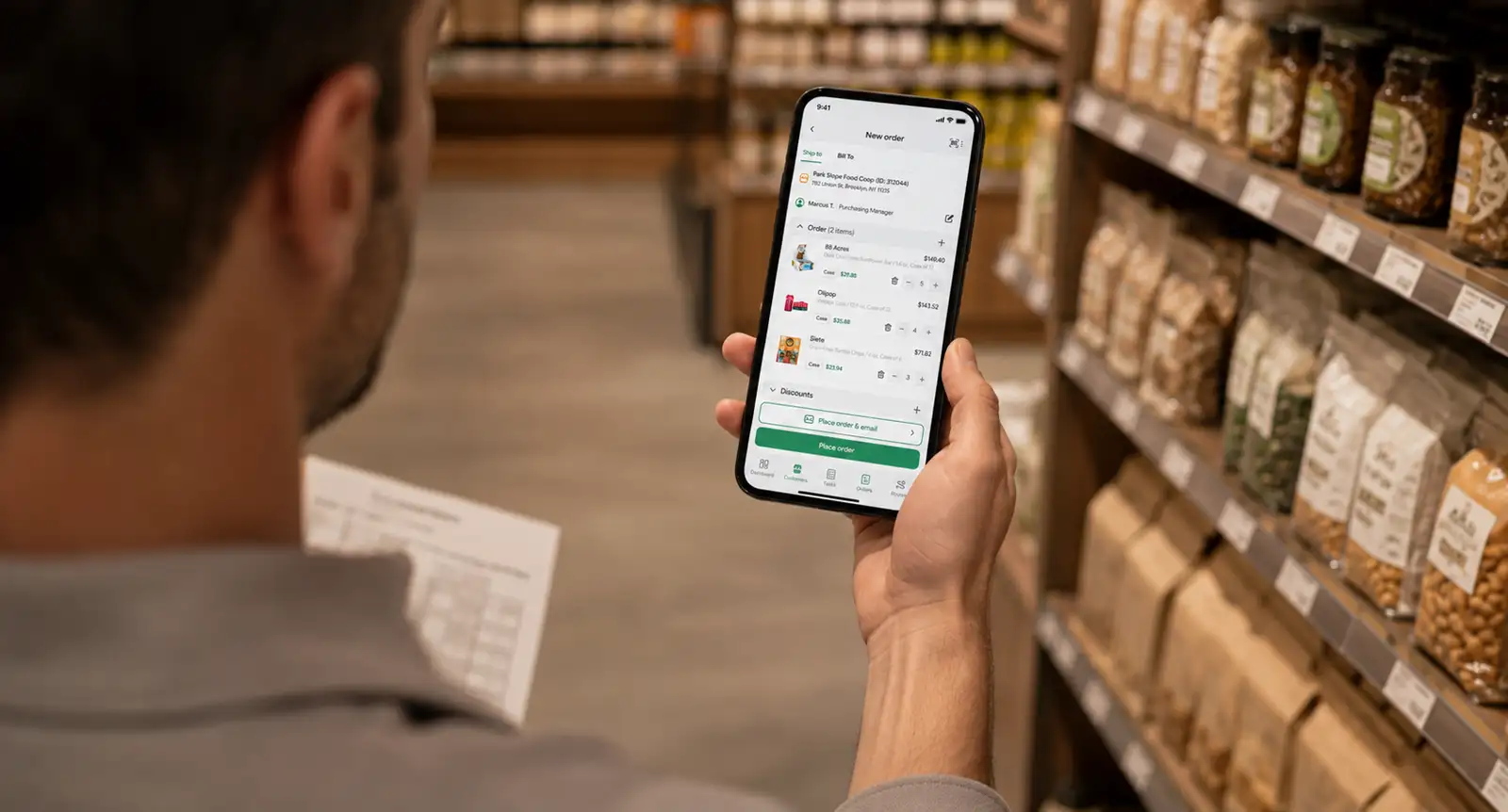
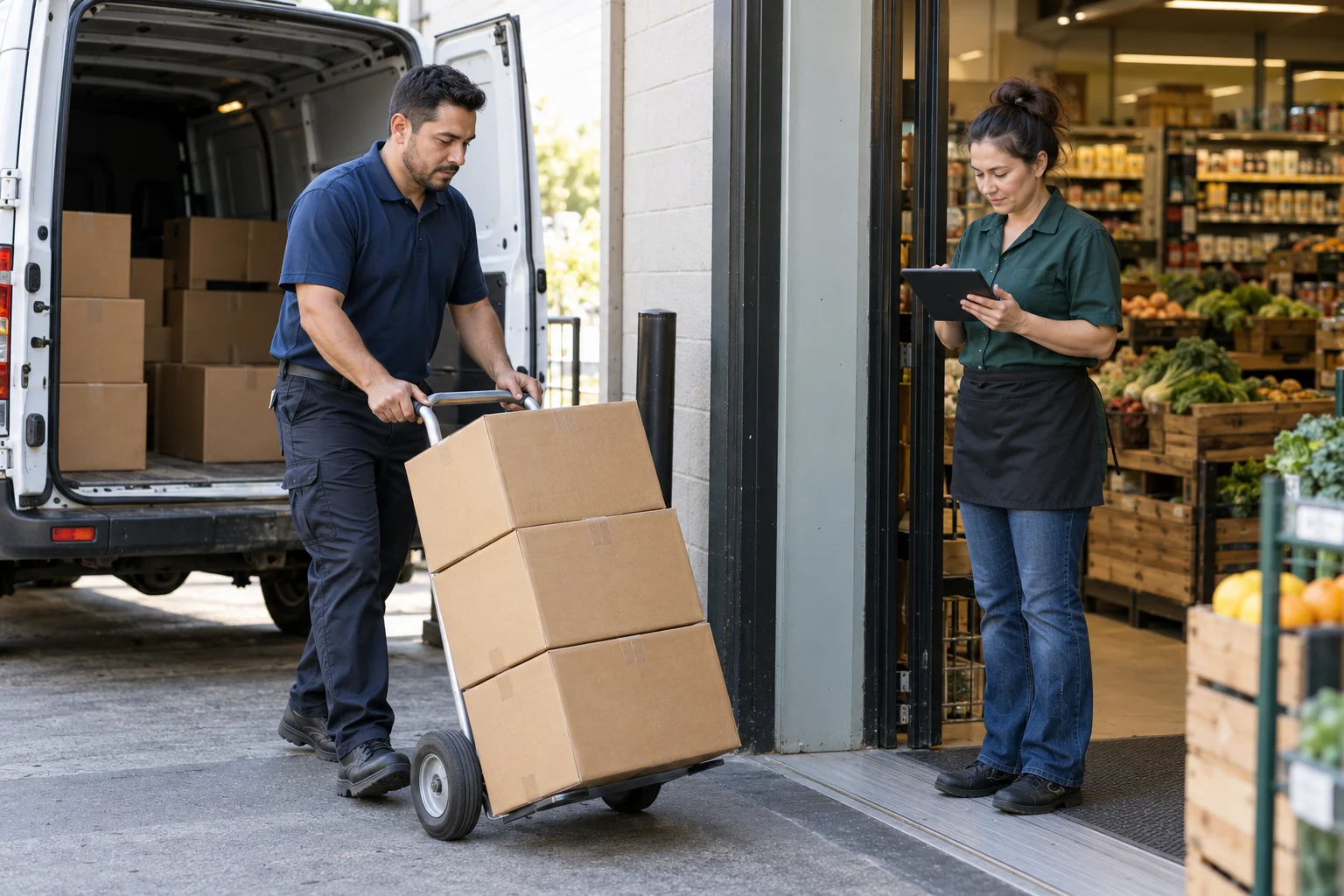
This is where route accounting earns its name. At each stop, the driver or sales rep delivers the product, generates an invoice on a mobile device, captures proof of delivery, collects payment if applicable, and records any returns or damages.
If an account wants a different quantity than planned, that adjustment gets logged on the spot.
Offline capability is not optional here. Drivers work in convenience stores, restaurants, and retail locations where cell signal is unreliable.
Phase 4: Route settlement
When the driver returns to the warehouse, the route is settled. That means reconciling what left the warehouse against what was actually delivered, what was returned, and what payments were collected.
Any discrepancies (e.g., missing product, cash shortfalls, unrecorded returns) get surfaced here.
In a paper-based operation, route settlement is the most painful part of the day. Someone has to manually compare paper invoices against load sheets, count cash, and track down anything that doesn’t match. It often takes an hour or more per route.
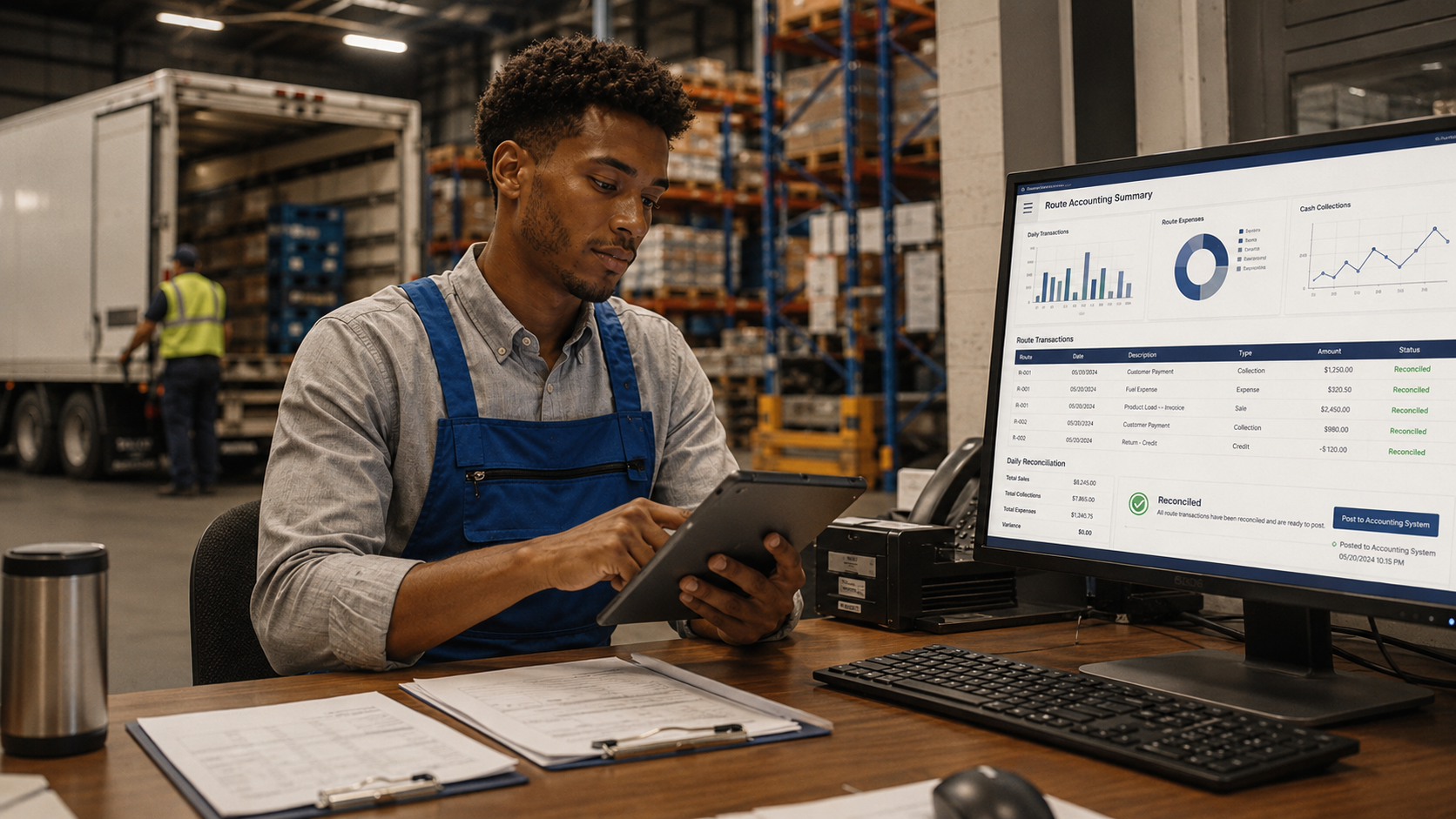
With route accounting software, settlement is largely automated because you can capture every transaction digitally at the stop.
A route settlement report gives the office team a clear view of the day’s activity that they can review and approve without re-entering data.
Phase 5: Sync to accounting
The final step is pushing all route transactions into your accounting system.
Invoices, payments, credits, and inventory adjustments need to flow from the route accounting software into your books automatically.
Pre-sell vs. van-sell: Which model are you running?
The pre-sell vs. van-sell distinction is one of the most important factors in choosing route accounting software, and one of the least discussed.
Both models fall under the route accounting umbrella, but they have different workflow requirements.
Pre-sell model
In a pre-sell model, a sales rep visits accounts in advance to take orders.
Those orders are then submitted to the warehouse, picked, loaded onto a delivery truck, and fulfilled by a separate driver.
The rep and the driver are two different people with two different jobs.
The route accounting system needs to support the handoff between them, from order capture to delivery confirmation.
Van-sell model
In a van-sell model, the driver is also the sales rep.
They load the truck with estimated inventory, drive the route, and sell directly from the truck at each stop.
There’s no pre-placed order. The transaction happens on the spot, and the driver needs to invoice immediately, often without internet access.
| Factor | Pre-sell | Van-sell |
|---|---|---|
| Who takes the order | Sales rep (advance visit) | Driver at the stop |
| Who delivers | Separate delivery driver | The same person is both the driver and the sales rep |
| When inventory is assigned | At warehouse, after order is placed | At loading, before the route starts |
| Invoice generated | At delivery | At point of sale, on the spot |
| Common in | Larger distributors with separate sales and delivery functions | Beverage, snack, and DSD operations; smaller distributors |
| Key software requirement | Order handoff between rep and driver | Real-time truck inventory; on-the-spot invoicing in offline mode |
Many DSD distributors run both models simultaneously: some accounts are pre-sold, others are serviced van-sell style.
If that’s your operation, you need software that handles both without requiring a workaround or a second platform.
There’s also a third model gaining ground in recent times: B2B self-service portals, where retail accounts can reorder directly without a rep visit. For operations with high-frequency, predictable reorders, this is an option worth checking out.
💡 Also read:
What to look for when evaluating route accounting software
Offline-first mobile app
Drivers work in environments where connectivity is unreliable. The platform needs to generate invoices, capture proof of delivery, and record payments without internet access, then sync everything automatically when connectivity returns.
Not every vendor that claims “offline mode” delivers full functionality without a connection.
Some platforms go read-only offline, meaning drivers can view data but can’t create new transactions. That’s not offline-first.
Test it specifically: turn off the device’s data, go through a full stop workflow, and see what actually works.
Pre-sell and van-sell support
If your operation runs both models, the software needs to handle both.
A platform built only for pre-sell creates friction the moment a rep needs to sell from the truck.
On the other hand, a van-sell-only tool creates a ceiling the moment you want to separate the selling and delivery functions as you scale.
Ask whether a single driver account can switch between pre-sell and van-sell workflows depending on the route.
ERP and accounting integration quality
There’s a meaningful difference between a platform that “integrates with QuickBooks” and one that pushes completed invoices, credits, and payment records into QuickBooks automatically after route settlement.
The former describes a connection; the latter describes whether that connection actually removes manual work.
Ask vendors specifically:
- Does the integration push invoices automatically, or does it require a manual export and import step?
- Does it handle credits and returns in addition to standard invoices?
- Does it sync cash and check payment records, or only card transactions?
These details determine whether integration actually saves your office team’s time.
Route settlement tools
Look for a settlement report the office team can review and approve without re-entering data from scratch.
If end-of-day settlement still requires someone to manually cross-reference paper invoices against system records, the software has solved the field side but not the back-office side. You need both.
Electronic proof of delivery (ePOD)
Electronic proof of delivery (capturing a signature, a photo, and a GPS-stamped timestamp at each stop) is now standard.
Paper-based proof of delivery creates billing disputes that can take weeks to resolve, often because neither the distributor nor the account has a clear record of what actually happened at the stop.
ePOD closes that loop at the moment of delivery.
Pricing structure and scalability
Some platforms charge per driver, per route, or per active user. That pricing structure can become expensive quickly for operations that add routes seasonally or grow their driver count year over year.
Understand the pricing tiers before committing, and model what the cost looks like at 1.5x and 2x your current route volume.
How to know when you need route accounting software
There’s no universal minimum route count that triggers the need for route accounting software.
The real signal is operational: when manual processes are costing more in time, errors, and lost revenue than the DSD solution would cost to run.
Current market reflects this pressure. The global DSD software market was valued at approximately $2.49 billion in 2024 and is projected to reach $4.87 billion by 2033, at a CAGR of 8.2%. Teams that are still running manual processes are increasingly in the minority.
These are the signs that usually appear first:
- Office staff are spending more time correcting route data than using it to make decisions
- Invoice disputes with accounts are increasing and slow to resolve
- End-of-day reconciliation consistently runs past 30 to 45 minutes per route
- More than one driver is running routes at the same time and the coordination is breaking down
- Pre-sell and van-sell are running in the same operation with no unified system
- A payment went unrecorded on a route and you didn’t find out until the account flagged it weeks later
When any of these become a recurring pattern, the cost of staying manual has already exceeded the cost of fixing it.
How SimplyDepo handles route accounting
SimplyDepo is a DSD route accounting platform built for field sales and distribution teams. It connects route planning, order capture, delivery confirmation, credits, collections, and route settlement in one system, covering every phase of your route accounting system.
The mobile app runs fully offline. Drivers can capture orders, deliveries, returns, and payments without a connection, and everything syncs automatically when signal returns.
On the back-office side, completed invoices, payments, and credits sync directly into your accounting system after settlement, without a manual export step.
To explore how SimplyDepo fits into your route accounting workflow, book a demo today.
FAQs on Route Accounting
In pre-sell, a sales rep takes the order during an advance visit and a separate driver fulfills it later. In van-sell, the driver is also the sales rep; they sell and deliver from the truck at each stop.
No. Route accounting captures and reconciles what happens in the field. Your accounting system (QuickBooks, Sage, or your ERP) records the finalized transactions. The two work together, and the quality of the integration between them determines how much manual work your office team has to do after each route closes.
The best platforms are built offline-first, meaning drivers can capture invoices, record payments, and confirm deliveries without a connection, then sync automatically when connectivity returns. This isn’t a premium feature; it’s a baseline operational requirement for any team working in retail stores or restaurants where cell signal is inconsistent.
SimplyDepo connects route planning, order capture, delivery confirmation, credits, collections, and settlements in one platform built for DSD teams. It includes offline mode and syncs route data directly to QuickBooks after settlement.
Route optimization software handles sequencing, directions, and fuel efficiency. It helps drivers get from stop to stop faster.
Route accounting software handles the financial and inventory side: invoices, payments, returns, credits, and end-of-day settlement. Some platforms combine both; many don’t. If you’re evaluating software, confirm which problem it’s actually built to solve before assuming it covers both.
In a paper-based operation, an invoicing error at the stop usually doesn’t surface until settlement, by which point the driver has already moved on, and the account may have a different recollection of what happened.
With route accounting software, adjustments are logged at the stop in real time. A corrected quantity, a returned item, a pricing change: all of it is captured before the driver leaves, so the settlement report reflects what actually happened rather than what was originally planned.
-
 October 20, 2026
 -
 October 20, 2026
 -
 October 20, 2026