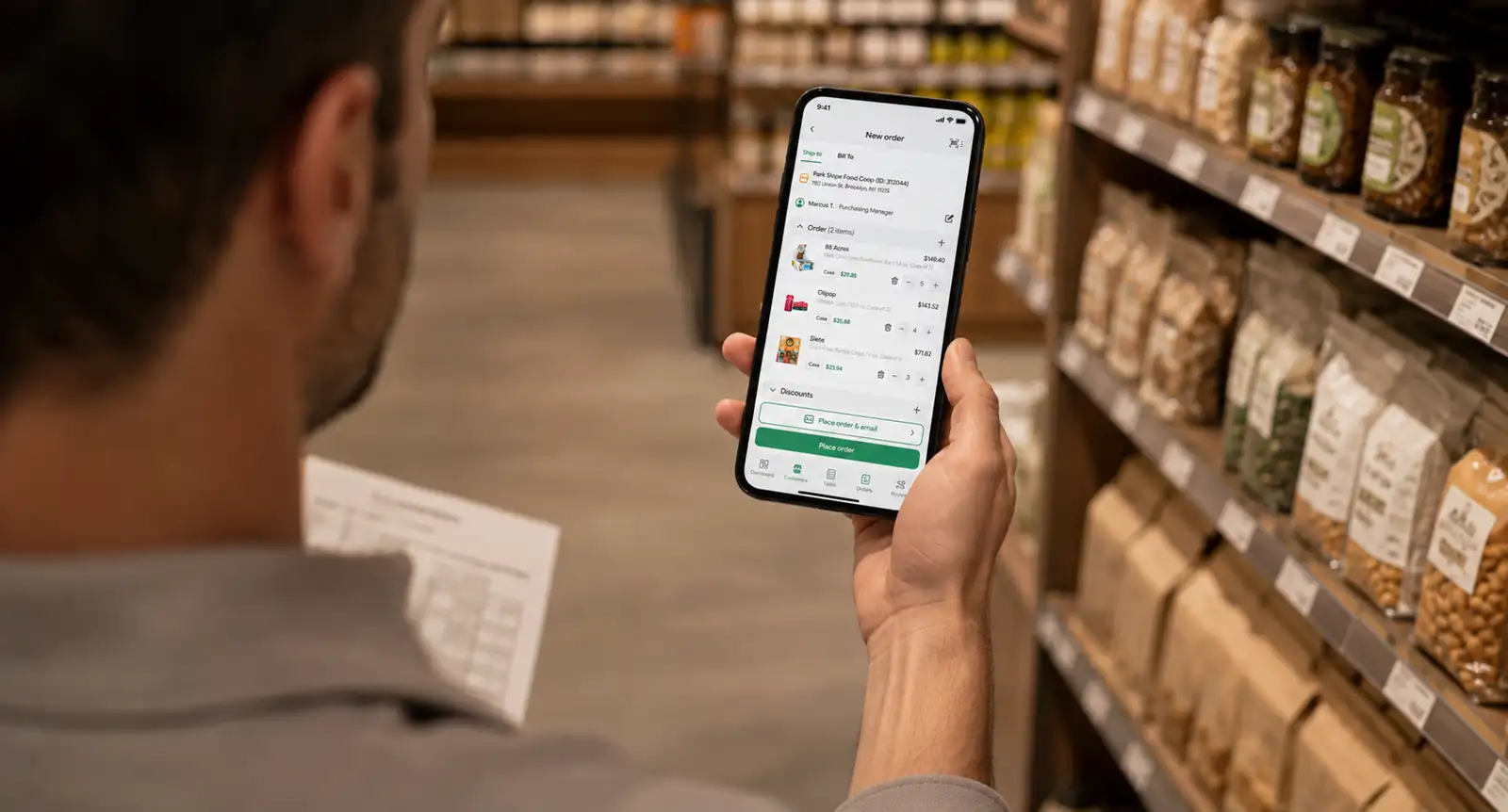
Sales Mapping Software: 10 Best Territory Mapping Tools


Sales mapping software puts your accounts, prospects and reps on a map so you can see who covers which accounts and which stores are getting missed. For field teams at CPG brands and distributors, it’s usually the fastest way to fix uneven coverage, where some stores get three visits a month and others get none.
Below is a practical way to map sales territories, followed by a comparison of 10 tools. SimplyDepo is first on the list because it was built for field sales teams that sell to stores. If your team also takes orders and checks shelves on those visits, it’s the strongest fit here.
What is sales mapping software?
Sales mapping software plots customer and prospect locations on a map and layers sales data on top, such as revenue and visit history. Teams use it to design territories and spot gaps in coverage. Depending on the vendor, it is also sold as territory planning software or retail mapping software.
Most tools in this category also handle sales route planning, so reps can turn a territory into a day’s worth of stops.
How is sales territory mapping software different from a simple map?
A basic map shows where your accounts are. Sales territory mapping software layers sales data, account value, routes and visit history on top, so you can compare workloads, balance territories and see where reps actually spend their time.
Spreadsheets fall short for the same reason. They’re static and hard to visualize, so coverage gaps and overlaps stay hidden until a retailer complains. Mapping software for sales territories puts those gaps on the map and lets you redraw a territory in minutes when a store opens, closes or changes demand.
Why CPG and distribution teams need mapping software for sales territories
In CPG and distribution, poor territory coverage shows up as empty shelves, lost orders and frustrated retailers on top of extra miles. When territories aren’t clear, reps improvise. Two reps end up at the same store, and nobody visits the one that needs attention.
Mapping software gives every store one owner and a visit cadence, so reps know where to go, how often and which accounts come first. A routing app only gives turn-by-turn directions. It doesn’t show territory load, account value or service frequency, which is what you need to plan coverage rather than a single drive.
💡 Pro tip
Ask two reps to sketch their ideal territory on their own. The overlaps and gaps between the two sketches often reveal more than any spreadsheet.
How to map sales territories
Whatever tool you use, the process for sales territory mapping looks about the same.
1. Clean up your account list
Start with every active account and target prospect, each with a correct address and a target visit frequency. Duplicate or mis-geocoded accounts will throw off every map you build from them.
2. Plot accounts and weight them by value
Put every account on the map, then size or color them by revenue or potential. A territory with 80 small stores and one with 30 large ones can need the same amount of rep time.
3. Draw territories around workload as well as geography
Split the map so each rep’s territory takes roughly the same effort to cover once you factor in visit frequency and drive time. Zip code or county lines are a fine starting point, but they rarely produce balanced workloads on their own.
4. Assign one owner to every account
Every store should belong to exactly one rep. Shared or unassigned accounts are the ones that get double-visited or forgotten.
5. Set visit cadences and build routes
Decide how often each type of account gets a visit (weekly for top accounts, monthly for smaller ones, for example). Then group stops into efficient daily routes within each territory.
6. Review territories every quarter
Stores open and close, and reps come and go. Compare actual visits against planned cadences and rebalance before gaps turn into lost accounts.
What to look for in sales territory mapping software
Most sales mapping tools look similar in a demo. The differences show up once reps use them every day. Focus on these:
- Territory editing that lets managers draw and reassign territories in minutes
- Route optimization that builds daily routes from a territory and adjusts when plans change
- Account context on the map, like last order and last visit, so reps know why a stop matters
- A mobile app that works offline, since reps lose signal in back rooms and rural areas
- Integrations with your CRM, ERP or accounting system so account data stays current
If reps also take orders or run store audits on visits, look for a tool that handles those too. Switching between a map app and an ordering app on every stop adds up quickly. During trials, give reps their real territories instead of demo data. If setup feels painful with your actual accounts, it won’t get easier after rollout.
Sales mapping software compared
| Tool | Best for | G2 rating |
|---|---|---|
| SimplyDepo | CPG brands and distributors that map, route, take orders and audit stores in one app | 4.7 |
| Repsly | Retail execution teams focused on in-store audits | 4.3 |
| Skynamo | B2B field sales teams that need live stock and order data | 4.5 |
| SPOTIO | Outside sales teams managing territories and pipelines | 4.5 |
| Badger Maps | Individual reps who mainly need routing and account maps | 4.7 |
| GoSpotCheck by FORM | Enterprise frontline teams running store tasks and photo audits | 4.7 |
| Pepperi | Brands combining B2B ecommerce, field sales and DSD | 4.4 |
| Perenso | B2B teams selling in the field, at trade shows and online | 4.5 |
| Movista | Retail and merchandising teams coordinating in-store work | 4.0 |
| SalesRabbit | Door-to-door teams canvassing residential territories | 4.5 |
SimplyDepo
G2: 4.7 / 5

SimplyDepo is field sales and B2B ordering software for CPG brands, distributors and merchandisers. It combines account mapping and route management with order taking and retail execution in one mobile app.
Reps see every account on a map, sort by priority or last order date, and build optimized routes that update as plans change. On each visit they can take orders and capture store photos in the same app. Managers see coverage, visit frequency and missed accounts by territory.
Standout: mapping is connected to everything else reps do in the store, so a visit plan turns into orders and shelf data instead of a simple check-in. It also integrates with QuickBooks and Shopify, among others.
Best for: CPG brands and distributors with field teams that sell and merchandise in stores.
Repsly
G2: 4.3 / 5
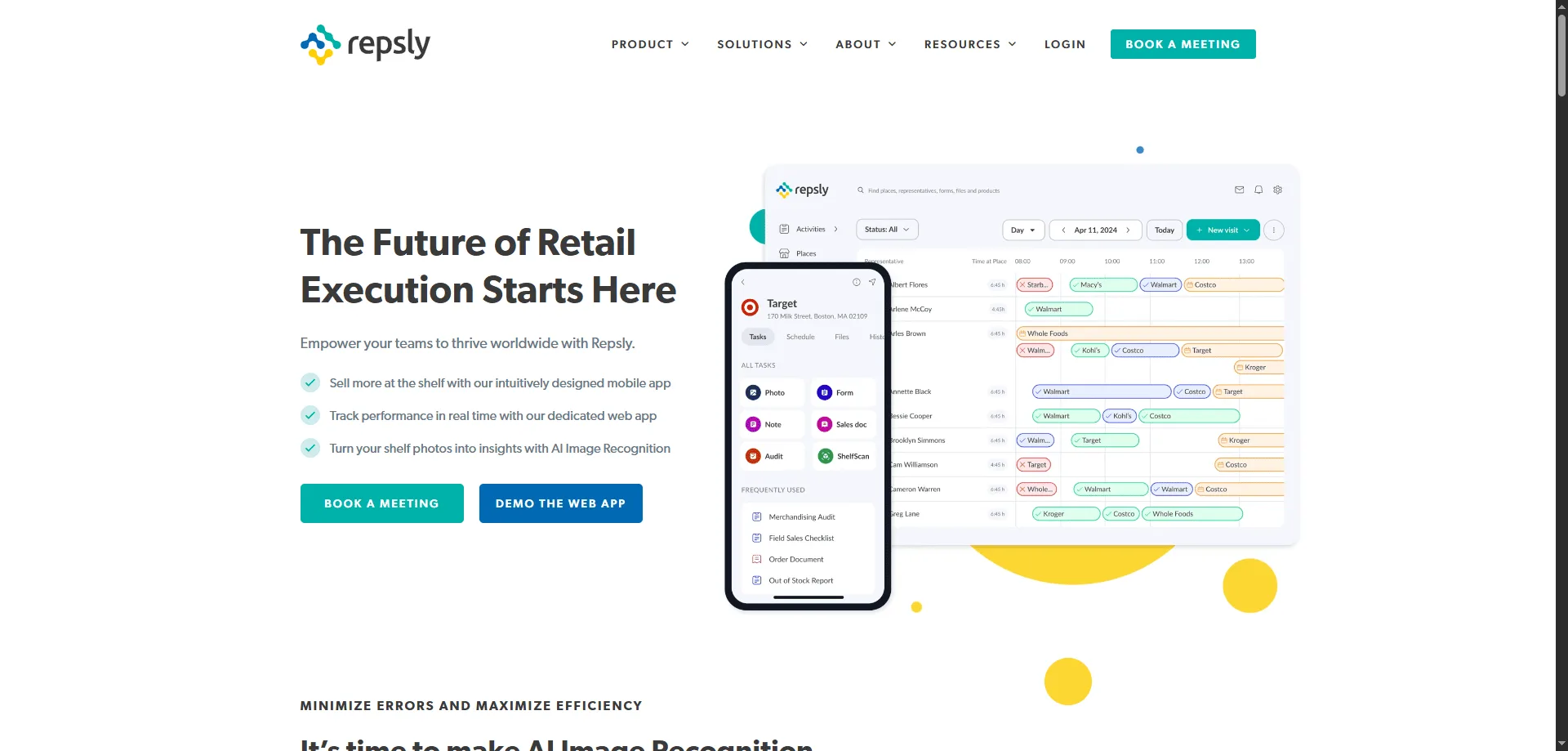
Repsly is retail execution software for CPG and retail teams. It pairs a mobile app for reps with a web app for managers that tracks visits and store activity.
Standout: AI image recognition that turns shelf photos into audit data, which cuts the time reps spend on manual counts.
Best for: brands whose field teams focus mainly on in-store audits and merchandising.
Skynamo
G2: 4.5 / 5

Skynamo is a field sales app for B2B reps. Reps can check live stock and submit orders in real time, while managers track field activity.
Standout: RADAR analytics, which pulls sales data into forecasts and flags at-risk customers.
Best for: wholesale and manufacturing sales teams that sell from inventory on the road.
SPOTIO
G2: 4.5 / 5

SPOTIO is field sales software built around territory management, routing and activity tracking. Managers can see territory performance and prospect status, and reps log activity quickly from the field.
Standout: pipeline and lead management tied to the map, which suits teams that prospect heavily.
Best for: outside sales teams that spend much of their time finding and working new prospects.
Badger Maps
G2: 4.7 / 5

Badger Maps is a route planner and account map for field reps. It optimizes routes of up to 120 stops and hands off turn-by-turn directions to your preferred map app.
Standout: simplicity. It also syncs with CRMs like Salesforce and HubSpot, so reps can keep using the CRM they already have.
Best for: reps and small teams that mainly need routing and account visualization on top of an existing CRM.
GoSpotCheck by FORM
G2: 4.7 / 5

GoSpotCheck guides frontline teams through store tasks and compliance steps. Reps take photos and answer quick surveys, and managers see results and exceptions right away.
Standout: image recognition that flags shelf issues from photos.
Best for: larger organizations running standardized store tasks across many locations.
Pepperi
G2: 4.4 / 5

Pepperi combines B2B ecommerce with field sales and retail execution. Reps take orders from a mobile catalog, and managers get visibility into accounts and routes.
Standout: support for direct store delivery and route accounting, connecting orders with deliveries.
Best for: brands and distributors running DSD alongside a B2B ordering portal.
Perenso
G2: 4.5 / 5

Perenso is a B2B sales platform for field and online ordering. Reps get order entry and route optimization, and data syncs to your ERP or inventory system.
Standout: mobile tools for trade shows, including lead capture and order processing at the booth.
Best for: suppliers that sell heavily at trade shows as well as in the field.
Movista
G2: 4.0 / 5

Movista is retail execution and workforce management software for in-store teams. Managers plan and assign work from a central dashboard, and frontline staff complete tasks in a mobile app.
Standout: workforce scheduling and task automation across large merchandising teams.
Best for: retailers and merchandising service companies coordinating work across many stores.
SalesRabbit
G2: 4.5 / 5

SalesRabbit is built for door-to-door teams. It combines territory mapping with canvassing tools, so reps see their assigned areas and which homes have been worked.
Standout: DataGrid AI, which scores homes to highlight the most promising doors.
Best for: residential door-to-door sales teams.
Rolling out sales mapping software
A new mapping tool changes how reps plan every day, so rollout matters as much as the tool itself.
Start with clean data. Fix addresses and merge duplicate accounts before you import anything.
Pilot with one region. Pick an area large enough to test real routes but small enough to fix problems quickly. Use your reps’ actual territories, not demo data.
Train on what changes. Reps don’t need a tour of every feature. Show them how to see their day’s route, reorder stops and log a visit.
Review coverage after the first month. Compare planned and actual visits by territory, then adjust boundaries and cadences before rolling out further.
Common sales territory mapping mistakes
Treating territory design as a one-time project. Territories built once and never revisited drift out of balance within a few quarters.
Balancing by account count alone. Ten large accounts can take more time than forty small ones. Weight territories by revenue and drive time.
Choosing a tool on features alone. A tool that demos well but doesn’t fit how reps work won’t get used. Test it with real reps on real routes.
Keeping mapping separate from everything else. If routes live in one app and orders live in another, managers still can’t see what happened on each visit.
Choosing the best sales territory mapping software
The best sales mapping software for your team depends on what reps do once they arrive. If they mainly need to get from stop to stop efficiently, a routing-focused tool like Badger Maps covers it. If they canvass homes, SalesRabbit is built for that.
For CPG brands and distributors whose reps take orders and check shelves on every visit, SimplyDepo keeps the map, routes, accounts and store work in one app. Managers see coverage and visit history by territory, and reps spend less time switching tools. Book a demo to see it with your own accounts.
FAQs
Sales territory mapping is the process of dividing accounts into geographic territories and assigning each one to a rep. Seeing territories on a map makes it easier to balance workloads and prevent overlap.
You can create a custom map in Google My Maps, import your account addresses from a spreadsheet and draw territory boundaries by hand. That works for a small team, but My Maps won’t track visits or optimize routes, which is why growing teams move to dedicated sales mapping software.
Some tools offer free plans or trials with limited accounts or features, and Google My Maps can handle basic territory maps. Most teams with several reps outgrow free options once they need routing and visit tracking.
Territory mapping decides which accounts each rep owns. Route planning decides the order a rep visits those accounts on a given day. Good field sales tools handle both, so routes are built from the territories you design.
Review them at least quarterly, and whenever you add reps or enter a new region. Small, regular adjustments are easier on reps than a major redraw.
-
 November 17, 2026
-
 November 17, 2026
-
 November 13, 2026