Order processing workflow for wholesale distributors


📌 Key takeaways:
- Order processing covers the entire workflow from order placement to delivery and payment, while order fulfillment is the physical subset that sits inside it.
- A single order passes through multiple departments. Sales captures it, finance clears credit, the warehouse fulfills it, and IT owns the integrations that carry it between departments.
- Order processing can be manual, semi-automated, or fully automated, and the right mode depends on order volume and pricing complexity rather than on company size.
- Measure by stage instead of by one composite score, because order accuracy rate, order cycle time, and order fill rate each point to a different part of the workflow.
For distributors, order processing starts well before the warehouse touches an order and continues after the customer receives it.
Before fulfillment begins, the team checks pricing rules and payment terms. Operations confirms that enough stock exists to support the promise made to the customer. After delivery, finance uses the confirmed quantity to create the invoice and collect payment.
A mistake at any handoff can delay the order or create a discrepancy that surfaces days later.
In this guide, we’ll follow the complete order processing workflow from order capture to payment. You’ll see who owns each stage and what has to happen before the order moves forward.
Where does order processing start and end?
Order processing is the workflow for receiving, checking, preparing, and completing a customer order. This distributor-focused guide follows it through delivery, invoicing, and payment application. Some businesses use a narrower definition that ends at shipment, so agree on the boundary before comparing systems or measuring cycle time.
Order fulfillment is only a part of that workflow. Fulfillment focuses on physically preparing and delivering products to customers, which covers picking, packing, loading, and dropping off at the store.
Order processing also verifies payment terms, checks stock availability before a commitment is made, applies customer-specific pricing, and passes confirmed delivery details to invoicing.
That range is why order processing is a multi-department process. Sales captures the order, sales ops validates it, finance clears credit and invoices, the warehouse fulfills, and IT owns the integrations that carry the order between them.
Sitting above all of this is order management, the wider function that tracks every open order, exception, and performance trend across the business.
What are the stages of the order processing workflow?
A simple fulfillment checklist covers placement, picking, packing, and shipping. Wholesale teams also need commercial checks before goods move and a clear financial handoff afterward.
The eight stages below are a practical model for that wider workflow. Your team may combine roles or invoice at a different point under its agreed terms. At each boundary, define who owns the order next and what releases it to them.
|
Stage |
Who owns it |
What moves it forward |
What goes wrong here |
|---|---|---|---|
|
1. Order placement and capture |
Sales or order entry |
Order submitted with required fields |
Wrong SKU, unit of measure, or missing PO number |
|
2. Pricing and validation |
Sales ops |
Order clears price book and rule checks |
Stale price book, expired promo |
|
3. Credit and payment terms |
Finance |
Account cleared or hold released |
Silent payment holds nobody chases |
|
4. Allocation |
Inventory or operations |
Stock reserved against available-to-promise |
Overselling, wrong lot, or date code |
|
5. Picking and packing |
Warehouse |
Pick complete and loaded to the route |
Short picks recorded nowhere |
|
6. Shipping and delivery |
Driver |
Proof of delivery captured |
Rejections at the door with no evidence |
|
7. Invoicing and payment |
Finance |
Invoice reconciled and payment applied, or balance assigned for follow-up |
Invoice or payment does not match the order record |
|
8. Returns and post-purchase support |
Customer service and finance |
Return, exchange, or credit resolved and recorded |
Deduction or return has no matching record |
How does an order get captured?
Where customer orders come from
Orders arrive from a rep’s mobile app, a buyer’s self-service portal, an emailed purchase order, an EDI connection, or even a phone call that you note down.
Coverage is more important than elegance here. A back room or a walk-in cooler will kill a signal, and offline capture is what stops an order being rebuilt from memory in the parking lot.
But when capture is digital, order details are recorded automatically on submission, removing the re-keying step where transcription errors enter. Channel strategy is a subject of its own, and multi-channel order management covers it properly.
What a wholesale order line has to carry
A wholesale order line needs a SKU and a quantity, plus the account and delivery details. Depending on the product and buyer, it may also need:
- The customer-specific price drawn from that account’s assigned price book
- A deal or promotion reference, with its own start and end dates
- Case pack and unit of measure, since a buyer who says “twelve” may mean cases, layers, or eaches
- Minimum order quantity and any pallet rounding rule
- Lot or date code requirements for dated goods
- The requested delivery window or route day
- The retailer’s PO number, which their accounts payable team will match against your invoice later
Each of those fields is either captured correctly at the point of sale or corrected expensively somewhere downstream.
What happens during validation and credit checks?
Two separate checks run at this stage, and teams that treat them as one spend more time chasing the wrong person for answers.
Pricing and rule validation
Sales ops owns this one. The system checks the order against the assigned price book, promotion eligibility and its date window, the approved SKU list for the account, minimum order quantities, and rounding rules.
Where software and business rules support automatic release, orders that pass the checks can move forward without another approval. Other teams use a manual review. Either way, exceptions need a visible owner and status.
During this phase, you should treat a price override as a signal rather than as a fix. One override is a favor for a customer, while a pattern of overrides on the same account usually means the price book is wrong, and correcting the record fixes the issue.
Verifying payment and credit terms
Finance owns this one. The check covers open balance against credit limit, aged receivables, and the terms on the account, whether those are net 30, cash on delivery (COD), or prepayment.
A credit hold with no named owner and no expected resolution time is the easiest way to lose an order. Since no one flags it, the rep assumes it cleared, and the buyer finds out on delivery day.
Practical check: Agree on an escalation time for credit holds and notify both finance and the account owner when a hold exceeds it. The rep can collect context from the buyer; finance retains authority to release or change the credit terms.
How does allocation reserve stock against a promise?
Before confirming a delivery promise, check available-to-promise stock using your inventory policy. A physical on-hand count alone may include units already reserved, damaged, or unavailable for sale.
Keep the order system and inventory source aligned, and make the last successful update visible. A live connection helps only when allocations and adjustments reach both systems reliably. Our guide to cloud-based inventory management explains the role of shared stock data.
The real decision comes when there isn’t enough stock to fill the order. You have four ways to handle the shortfall:
- Substitute a comparable SKU, which works when the buyer approves substitutions in advance
- Backorder the balance, which suits an account on a weekly route and complicates one that ordered for a weekend promotion
- Short ship and close the line, which is cleanest for the warehouse, and has to be visible on the invoice
- Split into two deliveries, which serves the customer and costs a second trip
Agree on the shortfall with the buyer before pick release, with operations confirming what can be supplied. For dated goods, apply the relevant lot rotation and minimum shelf-life rules. First-expired-first-out (FEFO) is one approach when expiry dates matter; the buyer’s requirements and product handling rules still govern the choice.
How do warehouse teams handle picking and packing?
Warehouse staff pick and pack items according to the specifications on the order, and the method depends on volume and layout. Discrete picking completes one order at a time, zone picking assigns each picker an area, and batch picking collects items for several orders in one pass.
Mobile picking and barcode checks can help catch the wrong SKU or quantity before dispatch. Confirm which checks your warehouse system actually enforces, and record any approved exception.
By standardizing the packing process, you keep handling consistent, especially for case and pallet volumes. Shipping packaging follows the product, since chilled goods and mixed pallets each need their own rule.
For route-based delivery, loading must support the stop sequence as well as weight, temperature, and handling requirements. Reverse-stop loading can help when the vehicle layout allows it. Coordinating the warehouse with the route is one reason direct store delivery needs its own operating process.
Short picks belong on the order record immediately. The warehouse learns about a shortfall first, and if that number isn’t passed on, the invoice and the delivery won’t match.
What happens between delivery and payment?
The order is not finished when the truck leaves.
Proof of delivery records the physical handoff. A signature or photo tied to the order, with the delivery time and any discrepancy, helps the team investigate a disputed invoice. Share accurate status updates with the buyer, distinguishing an order received from an order confirmed for delivery.
You should also watch out for delivered quantities that can change at the door. A receiver might reject damaged cases, refuse an over-shipment, or take the order short because the back room is full. In those cases, the driver has to record the adjustment on the spot. Capturing those changes is part of why closing a route properly takes more than an empty truck.
Reconcile the invoice to the confirmed fulfillment and your agreed billing terms. If you invoice before delivery, record shortages, rejected goods, and approved adjustments through the appropriate correction or credit process.
Payment application closes the financial loop. Match the receipt to the invoice, and keep any deduction or disputed balance linked to the order. Customer service and finance then coordinate returns, exchanges, and approved credits so the same issue is not resolved twice.
💡 Also read:
DSD Best Practices: Optimize Your Direct Store Delivery Operation
When does an order stop being editable?
Every order reaches a point where a change costs more than it saves, and publishing those points is what stops sales and the warehouse arguing over it every week.
Publish cutoffs that fit your operation. A useful starting policy is:
- Revalidate price and quantity changes after initial approval
- Require warehouse approval for line changes after pick release
- Check delivery changes against the route cutoff
- Preserve the delivered quantity and document later returns or credits separately
A request after a cutoff may need a controlled amendment, a second order, or a credit, depending on its status. Keep the original record and the adjustment traceable. The pick instructions, delivery record, and invoice should still explain the same transaction.
Is your order processing manual, semi-automated, or fully automated?
The level of automation describes how much routine work moves without manual intervention. A distributor can use different levels at different stages:
- Manual processing: people enter orders and check pricing, stock, and release conditions. It can be workable when volume and account rules are simple.
- Semi-automated processing: digital capture removes re-entry, while people still review certain checks or release the order to the warehouse.
- Highly automated processing: connected systems apply routine rules and pass approved orders onward. People still handle exceptions, maintain the rules, and monitor failed handoffs.
Real-time updates describe how quickly data moves; just-in-time describes a replenishment approach. Neither is a separate level of order-processing automation.
Start with the handoff that creates the most avoidable work, then test whether the change reduces it. For a deeper look at automation rules, notifications, and rollout steps, see our guide to automated order processing.
How do you measure order processing performance?
Measure the overall result and the stages that produce it. Perfect order rate shows whether an order met all your agreed criteria, while stage-level measures help identify what failed. Keep the definition, denominator, and measurement window consistent.
Entry-stage metrics
- Touchless order rate: The share of orders that clear validation with no human edit
- Order accuracy rate: The percentage of error-free orders at entry
- Credit hold rate and average hold duration: How often orders go on credit hold and how long they stay there
- Time from submission to confirmation: How long it takes to validate and confirm an order after the customer submits it
Fulfillment-stage metrics
- Order fill rate: The percentage of orders filled completely from available stock
- Order cycle time: The average elapsed time from order placement to delivery
- On-time delivery rate: The percentage of orders delivered within the promised delivery window
- Return rate: The share of orders that customers send back
- Perfect order rate: The composite that sits on top, which combines accurate orders, on-time delivery, undamaged goods, and correct invoicing
For example, calculate order fill rate as orders fulfilled in full divided by all eligible orders in the period. If you measure lines or units instead, label that separately. For perfect order rate, count orders that pass every required criterion; do not treat separately averaged percentages as the same measure.
Review weekly results alongside exceptions by cause, such as pricing, credit, stock, delivery, or invoicing. Compare similar channels and order types so a change in order mix does not hide the source of a delay.
Where can order processing slow down as volume grows?
The bottleneck depends on your workflow. Follow the order record to find where work is waiting or being repeated:
- Capture: a growing queue of calls, emails, and handwritten orders increases transcription work.
- Allocation: several reps may promise the same stock before reservations or inventory updates reach the shared record.
- Invoicing and payment: delivery changes, credits, and deductions become harder to reconcile when evidence is scattered across systems.
What accelerates the disruption is seasonality. If you have a sales forecasting system in place, your teams can plan staffing for peak weeks in advance.
McKinsey’s 2024 B2B Pulse research found that buyers used an average of ten interaction channels during their buying journey, up from five in 2016. These are buying interactions, not ten separate order-entry channels. For distributors, the useful lesson is to keep customer and order context connected wherever a request starts.
Bring the whole workflow into one record
A clear owner and a shared record make every handoff easier to follow. Start by connecting the order captured in the field to its validation, stock commitment, delivery record, and invoice.
Order processing software supports this workflow by bringing order capture, pricing checks, inventory visibility, and release information together. Confirm how it connects to your warehouse and accounting systems, and test the exceptions that matter in your business.
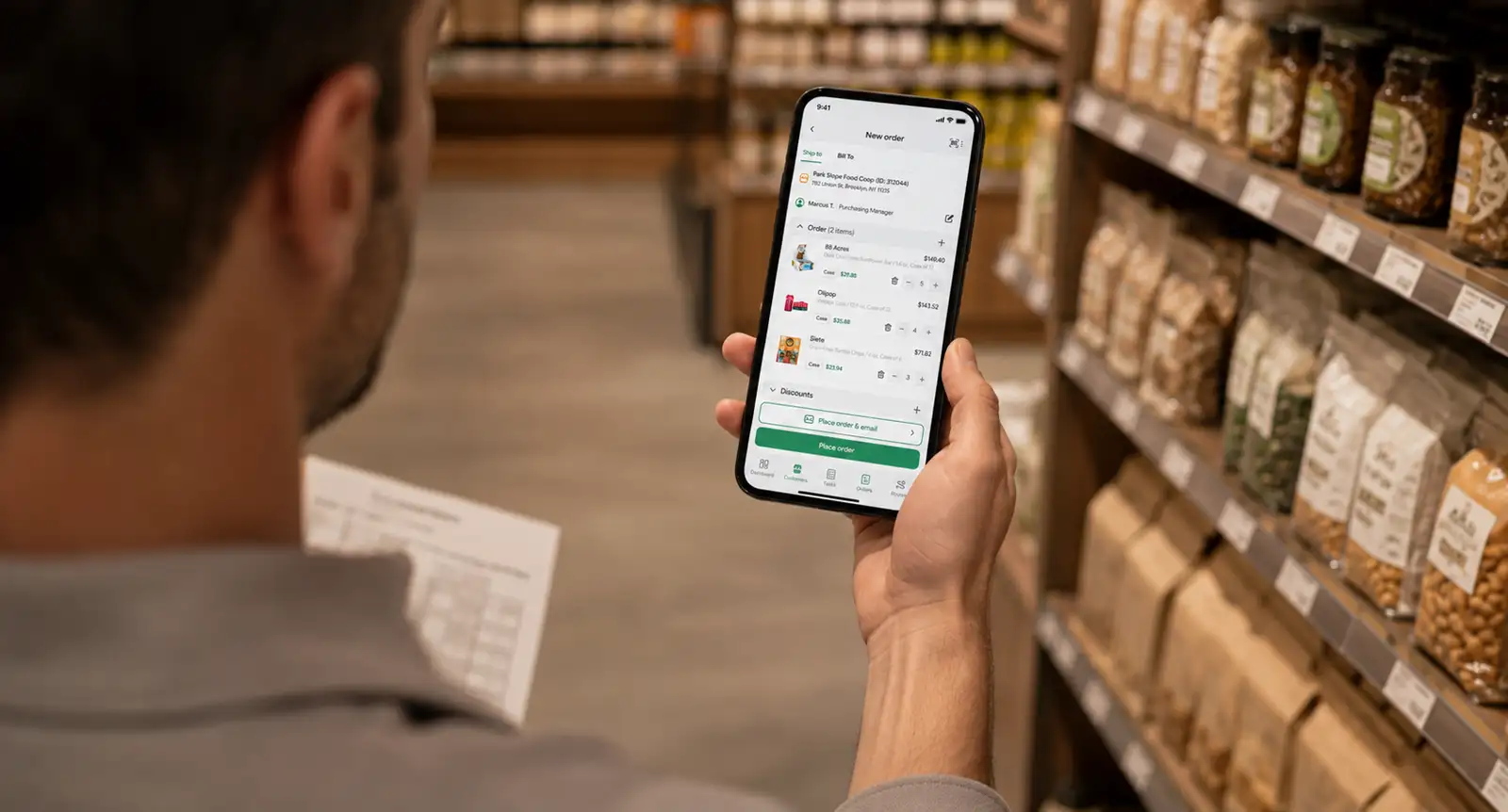
SimplyDepo is built around that model for CPG brands and wholesale distributors. Reps capture and update orders, notes, and pricing on a mobile app with offline support and real-time sync. So if they take an order in a back room with no signal, it lands in the queue once the device reconnects.
Features like customer profiles, order history, and pricing agreements are available in one place, which gives reps context before a visit. SimplyDepo supports native QuickBooks Online synchronization for orders, invoices, and customers. For route-based operations, its route planning and proof-of-delivery tools support the delivery handoff. Accounting and reconciliation remain part of the connected finance workflow.
In SimplyDepo’s Tenace Distribution case study, the beverage distributor reported a 70% reduction in order corrections after adopting the platform. That is one customer’s reported outcome, not a guaranteed improvement. Its practical lesson is to keep order changes and delivered quantities available to the people creating invoices.
Book a demo to walk through a real order, including a pricing change, a stock shortage, and a delivery adjustment, and see how SimplyDepo supports your team’s workflow.
FAQs on order processing
Order processing is the work of receiving, validating, preparing, and completing a customer order. For distributors, the workflow connects pricing and payment terms with stock allocation, fulfillment, delivery, and the financial follow-up needed to close the order.
An order marked “processing” has entered the seller’s workflow, but the exact status depends on the system. It may be awaiting checks, allocation, or fulfillment. Do not assume it confirms stock or a delivery date unless the seller defines it that way.
A rep takes an order for twelve cases at a convenience store. The system checks that account’s price book and promotion dates, finance confirms the credit terms, and the warehouse reserves stock against available inventory.
The warehouse picks and packs the order, and the driver records what the buyer accepts. Finance reconciles the invoice and applies the payment. Any shortage or approved credit stays linked to the original order.
An order processing job is any role responsible for processing orders through part of a workflow. Titles vary, and in distribution centers you will find order entry clerks, order processing specialists, inventory controllers, and warehouse associates who pick and pack.
Sales ops validates pricing, finance clears credit and issues invoices, and drivers close out the delivery.
Manual order processing roles carry the most exposure to human error, because re-keying an order by hand is where wrong quantities and wrong prices enter the record.
The order fulfillment process is the physical half: picking, packing, loading, and delivering products to customers. Order processing surrounds it and adds verifying payment terms, checking inventory levels, applying customer-specific pricing, and invoicing against what was delivered.
Fulfillment is a subset, and the distinction is a key element in deciding where to fix a problem.
A late delivery is a fulfillment issue, while an order that sat three days on an uncleared credit hold never reached fulfillment at all.
Order processing software helps capture orders, validate required information, and pass approved work to fulfillment. Its coverage depends on the product and connected systems.
Order management software coordinates the wider order lifecycle. A warehouse management system focuses on warehouse work such as stock locations and picking. Automated order processing uses business rules and integrations to reduce routine manual handoffs.
Set separate targets for confirmation and end-to-end delivery. Confirmation depends on pricing, credit, and stock checks; delivery also depends on route schedules, cutoffs, availability, and the promise made to the customer.
Measure your current process across a representative period, then set targets by order type or channel. For example, an order confirmed Tuesday for a Thursday route may meet its promise even though it is not delivered on the day it was entered.
-
 October 28, 2026
 -
 October 28, 2026
 -
 October 28, 2026
Schedule your demo


See SimplyDepo in action
Explore a simpler way to manage field sales.
No times left on this day. Please pick another date.
Choose a demo time
Pick a date and time for your demo.
Your demo is booked!
Check your email for your calendar invite.

Thanks for your interest.
SimplyDepo is not available in your country.
We’re planning to expand soon and will notify you once it becomes available in your region. If you have any questions, please email info@simplydepo.com