Unified Commerce vs. Omnichannel for CPG Brands


📌 Key takeaways:
- Unified commerce and omnichannel are not the same thing. Omnichannel connects channels at the interface so the buying experience feels continuous, while unified commerce connects the systems underneath, so every channel reads the same records.
- The distinction costs more in wholesale than in retail. A B2B channel carries negotiated pricing and signed terms, so an outdated record turns into a wrong invoice and a chargeback.
- Start with the record causing the most operational friction. Map who owns customer, pricing, inventory, and order data, then unify the record creating the most reconciliation work before adding more channels.
Gartner asked 1,400 IT executives to name their biggest challenges in data and analytics. Data quality came first at 48%. A siloed operating model came third at 37%.
That third number is an interesting one because nobody builds a silo on purpose. They accumulate over time.
A CPG brand might add a distributor portal one year and a rep app the next. Each one arrives with its integrations and connected systems, but each works in separate ways.
When you have connected systems that don’t actually talk to each other, you get a rep quoting $36 from his app while the buyer’s portal shows $34.
Adding a unified or omnichannel system helps you weed out data discrepancy but remember that they’re separate functions. Confusing the two is how accounting and rep work piles up, despite the best intentions.
What is unified commerce?
Unified commerce is a business strategy that runs every sales channel and every backend system on a single platform. Customer-facing channels and backend operations read from the same records instead of syncing copies to each other.
For retail, a channel means an online store, a mobile app, or a physical store. In consumer goods, the list looks different.
A channel is a distributor purchase order, a rep writing an order in an aisle, a DSD route, a self-serve wholesale portal, a broker submission, or a retailer’s own POS feed.
The definition still holds, just that the list is longer, and every item on it carries its own price list and payment terms.
How did unified commerce evolve from multichannel and omnichannel?
Multichannel came first. A brand sold through a store, a catalog, and a website, and each one operated on its own, which is the multi-channel order management problem most teams still recognize.
Omnichannel came next. It integrated multiple sales channels into a seamless customer experience, so a shopper could move between them without starting over. The focus was the customer journey and how consistent it felt.
Unified commerce is the step after that. It takes the consistency omnichannel promised at the front and builds it into the systems underneath.
What changed in stores
The retail version of this shift produced capabilities shoppers now take for granted. You can buy online and pick up in-store because the website and the store share one inventory position.
Returning an online purchase at a physical store works for the same reason. So do loyalty points that accrue wherever the customer buys, and a retail associate who can pull up purchase history at the counter.
Each of these depends on real-time data across physical and digital interactions. None of them work when the systems only talk on a schedule.
How does unified commerce differ from omnichannel?
Both aim to create a consistent buying experience, but they differ in where the connection happens: omnichannel links the customer-facing channels, while unified commerce connects the underlying systems and data.
Omnichannel connects what the buyer sees
Omnichannel is a frontend achievement. The channels are linked well enough that the experience feels continuous to the person buying.
Underneath, each channel usually keeps its own system. Those systems are joined by APIs or scheduled syncs that reconcile later, which leaves the backend siloed even when the frontend looks unified.
Deloitte frames the difference as brand-centric versus customer-centric. Omnichannel is built around presenting the brand consistently, while unified commerce is built around the customer’s actual path.
Unified commerce connects what the business runs on
Unified commerce moves the connection point down a layer. Instead of linking interfaces, it puts channels on shared records, which gives real-time data visibility across all channels rather than a reconciled view of yesterday.
The difference is architectural rather than experiential. Two operations can look identical to a buyer and behave completely differently at the end of the month.
This is also a matter of degree. Almost nobody starts from zero, and almost nobody is fully unified.
Side-by-side comparison
| Dimension | Omnichannel setup | Unified commerce setup |
|---|---|---|
| Where systems connect | At the interface, through scheduled syncs | At the data layer, on shared records |
| Account pricing | Maintained per system, reconciled later | One price list per account, read by every channel |
| Inventory position | Each channel holds its own view | One position with real-time inventory visibility, decremented by whichever channel sells |
| Customer data | Assembled from several systems on request | One profile covering every channel |
| Order record | One per channel, merged in reporting | One record regardless of origin |
| Where errors surface | At invoicing and month-end close | At order entry, before the order is committed |
| Typical fix when something breaks | Add another integration | Change the record everything reads from |
Reread the last row. In an omnichannel setup, the answer to a data problem is another connector, and each connector is reasonable on its own. The number of them is what eventually becomes the problem.
Unified commerce removes that friction by changing the record every channel draws from. There is nothing left to reconcile.
💡 Pro tip:
Count the integrations you have added in the last two years and write down what each one was meant to fix. When two or more exist to keep the same field in sync, the problem is the record itself, not the connectors.
Why does the difference matter more in consumer goods than in retail?
In consumer retail, a frontend-only setup might give you a disappointed shopper. So eventually, the cost is a lost sale and some goodwill.
In wholesale, the same setup produces a wrong invoice. The cost is a chargeback and a difficult conversation with a buyer you will see again next week.
The difference comes down to the nature of the channels. In retail, it is a place where someone shops. But in wholesale, it is an account with a negotiated price and signed terms, so an outdated price in one system becomes a billing error.
When you centralize customer and sales data on one platform, it cuts the time wasted in data correction and protects your margin.
Manhattan Associates conducted research across more than 250 North American specialty retailers and found that operators with mature unified commerce capabilities saw 23% higher inventory turnover and 1.5 times higher customer lifetime value.
For consumer goods brands, this gets harder every year, because retail replenishment and direct fulfillment now run side by side. As CPG industry trends keep expanding, every added channel multiplies the number of records that have to match.
What breaks when only the frontend is connected?
1. Price lists drift between the portal and the field
When a negotiated price changes in one system, the rep app keeps the old one until the next sync runs. With outdated data, the rep quotes and the buyer accepts, but the invoice disagrees with both of them. As a result, your accounting ends up issuing a credit.
None of this is visible when it happens, which is what makes it expensive. Frontend error surfaces at invoicing, long after anyone can correct it easily.
💡 Pro tip:
Ask your team how long a price change takes to reach the rep app, then compare that number to how often you renegotiate pricing with your top accounts. Any account you reprice more often than the sync runs is a credit memo waiting to happen.
2. The same cases get promised twice
A buyer reorders through the portal on Tuesday morning, and a rep writes an order against the same stock that afternoon. Both orders are accepted, because neither channel has any way to tell the other what it just committed.
Nobody catches it until the warehouse starts picking, at which point one of those buyers is getting a short-ship, and your team is doing backorder management.
Syncing inventory as it changes is what prevents stockouts and overselling, and without it, availability becomes a guesswork till the warehouse.
3. One account exists in three places
Depending on the tech stack, you might have different versions of a buyer’s profile in the portal, in reps’ CRM, and in accounting.
Nobody can answer a simple question about the account without opening all three and deciding which one is current.
That work scales with channel count rather than with revenue. Every channel you add lengthens the month-end close, which is why wholesale distribution gets slower as it grows.
What does a unified commerce model require?
Now, if you implement a unified system across channels, you can fix all these problems:
1. One account record that carries its own terms
Pricing, minimums, timelines, and delivery preferences belong on the account rather than in whichever system captured them first. Every channel follows those terms instead of storing a copy.
This is how you produce a 360-degree view of customer data. Purchase history and buying patterns sit in one profile instead of being assembled on request.
Once you enrich the profile, reps can provide more personalized interactions. They can arrive with the right reorder suggestion and help the buyer order better from the portal. Customer relationship management for distributors works from the same database.
2. One catalog and one pricing engine
Since the buyer portal and the rep app draw from the same catalog, there is no second price list to maintain and no reconciliation between two versions of it.
Per-account pricing is the difficult part here, since distribution pricing strategies in wholesale rarely settle into one public number. Generic ecommerce platforms are built around one public catalog, so they handle account-level price lists poorly.
💡 Pro tip:
Before you migrate anything, export your price lists from every system and compare them line by line for your twenty largest accounts. The accounts where two systems disagree are the ones to unify first, and the count is usually higher than teams expect.
3. One order pipeline regardless of origin
Portal orders, rep orders, and phoned-in orders flow into the same queue with the same statuses and approvals. That queue becomes the single source of truth for what the business has sold, and it makes accounting easier.
None of this requires replacing your ERP. Unification is a question of which system owns which record.
What makes unified commerce hard to implement?
You already have integrations, but unification is a restructuring project. It needs careful planning across departments before anyone touches a system. Here are some problems you might face:
Legacy systems resist being demoted
It’s not easy to run data handoff from an ERP that has held the master record for a decade. Connecting it to a unified layer often means significant restructuring of backend systems, and that work doesn’t show up in a vendor demo.
Many CPG brands end up taking shortcuts that fail quickly. Teams pick a platform first and organize their data around it later, then find that the platform cannot hold the records they need it to own.
Cost, resourcing, and the people who have to change
The budget covers licensing and migration, with training on top. Since these are massive internal projects, cost and resource allocation slow down adoption, particularly for teams running lean.
The harder part is organizational. Reps, service staff, and accounting all have to change how they work, so change management determines whether the system gets used as designed.
Until those factors are addressed, consistency across sales channels remains a manual discipline.
How do you know where your operation stands today?
You do not need a systems audit to answer this. Five questions about last week will do it.
- When a buyer’s negotiated price changes, how many places does someone update it?
- If a rep writes an order at 4 pm, when does the portal reflect the stock it consumed?
- Can anyone answer “what has this account bought this quarter across every channel” without exporting anything?
- How many hours does month-end reconciliation take, and has that number moved as you added channels?
- When something breaks between two systems, is the standing fix another integration?
Answers that point to multiple systems and manual updates describe a connected operation rather than a unified one, and that is usually how broken B2B ecommerce workflows look.
Where should a CPG brand start?
The sequence is more important than speed. Here is the order that avoids the most rework:
- Start by mapping which system owns each record type: customer, price, inventory, and order. Nearly every conflict shows up on that map alone.
- Then choose an owner for each one deliberately. Left alone, ownership defaults to whichever system was installed most recently, which is rarely the right answer.
- Unify the record causing the most downstream correction work first. In wholesale, that is almost always account pricing.
- Add channels only after you’ve figured out the source of the record. If you are ready to compare platforms, distribution software options are a better starting point than a feature list.
Close the distance between the portal and the field
A B2B ecommerce platform for distributors closes the gap between what a buyer sees and what the business records. The buyer’s storefront and the rep’s order screen pull from the same catalog and the same account terms, so there are no copies left to reconcile.
SimplyDepo is built this way. Buyers get a white-label portal that shows their own price list and stock in real time, with one-tap reordering from their order history.
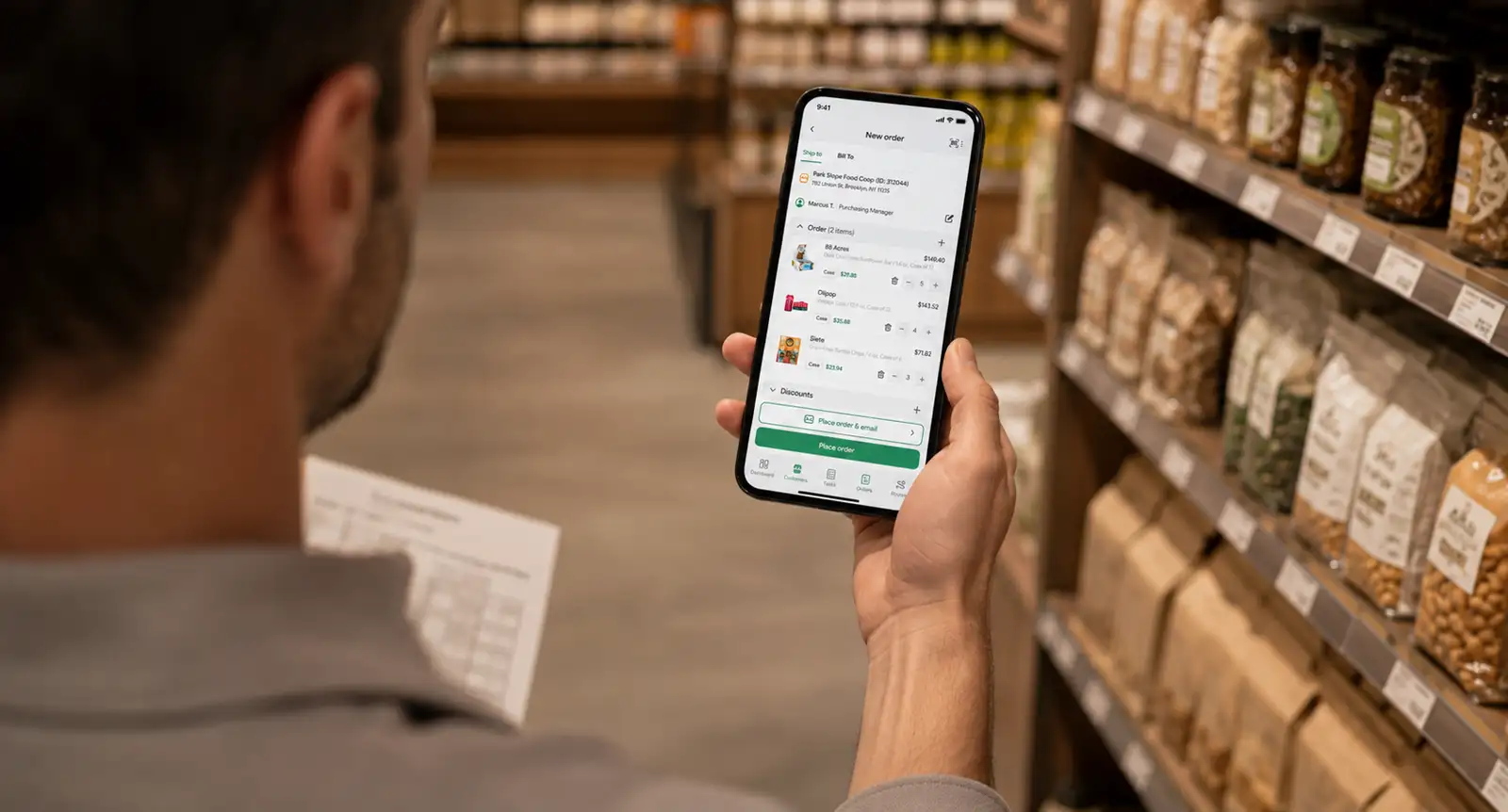
Reps write orders in the field app on that same per-customer pricing, offline if they have no signal, and the orders sync when the phone reconnects.
Portal, rep, and phone orders land in one consolidated view with statuses and approvals, and approved orders post to QuickBooks Online through a native two-way sync. More than 100 native integrations and an Open API connect whatever else you run.
This brings us back to that rep in the aisle. In this setup, his app shows $34, because it draws from the same record the buyer’s portal reads, and there is no accounting headache at the end of the month.
Book a free demo today to understand how SimplyDepo can help you run unified commerce.
FAQs on unified commerce platform
Omnichannel links channels at the interface so the buying experience feels continuous across channels, while the backend systems underneath stay separate and reconcile afterward. Unified commerce integrates those systems at the data layer, so every channel reads and writes the same records. The consistent experience holds because the data holds, not because someone maintains it.
Multichannel means selling in several places that operate independently. Omnichannel means those places feel connected to the buyer, even though each channel still runs on its own business systems. Unified commerce means they run on one centralized platform, so cross-channel consistency becomes a part of the system.
A unified commerce platform brings the systems you already run onto one centralized platform: an inventory management system, order management, customer relationship management, and the payment systems behind checkout. Instead of stitching multiple tools together with scheduled syncs, each one reads the same customer information and the same stock position, so an online storefront and a rep’s order screen never disagree.
The benefits of unified commerce show up in operational efficiency first, because teams stop reconciling records between systems and get that time back. One view of customer history and customer preferences also lifts sales performance, since reps and buyers both see what an account actually orders. Fewer corrections across the entire business means fewer chargebacks.
Unified commerce keeps online and physical channels on one stock position and one customer record. A shopper can purchase online and return in store because both read the same order and payment data, and brick and mortar stores see the same customer interaction history the website has. In wholesale, the same logic covers a buyer portal, a rep app, and a retailer’s POS feed.
Selling through distributors strengthens the case. Distributor orders, rep-written orders, and portal reorders all touch the same accounts and the same inventory, so without shared records those channels commit the same stock and quote different prices. A unified commerce strategy matters more here than in retail, because every channel carries negotiated pricing and signed terms.
-
 October 28, 2026
 -
 October 28, 2026
 -
 October 28, 2026
Schedule your demo


See SimplyDepo in action
Explore a simpler way to manage field sales.
No times left on this day. Please pick another date.
Choose a demo time
Pick a date and time for your demo.
Your demo is booked!
Check your email for your calendar invite.

Thanks for your interest.
SimplyDepo is not available in your country.
We’re planning to expand soon and will notify you once it becomes available in your region. If you have any questions, please email info@simplydepo.com