Purchase Order Management: How to Build a Better PO Process


📌 Key takeaways:
- Purchase order management creates one controlled trail for every purchase, from the initial requisition through approval, receiving, invoice matching, and payment.
- Automation becomes valuable as order volume grows, especially for approval routing, three-way matching, and syncing purchasing data with inventory and accounting systems.
- For wholesale and distribution teams, PO management needs to connect purchasing with what happens in the field, including live stock visibility, account-specific pricing, mobile ordering, and delivery operations.
A distributor once paid for the same pallet twice. Two people reordered it three days apart, and nobody noticed until the second invoice arrived. The cause was mundane: two requests that no single person was tracking from start to finish.
Stories like that are common and easy to miss. They rarely announce themselves. They surface weeks later as a payment that should never have gone out, or an inventory count that slowly stops matching the shelf.
That’s the work purchase order management takes care of. It turns a scatter of requests, approvals, and deliveries into one accountable trail, so money leaves the business only for what it agreed to buy.
In this guide, I’ll cover how the purchase order process works, what belongs on a template, which PO types fit which situations, how automation helps, and how to measure your PO management.
What is purchase order management?
Purchase order management is the process of creating, approving, tracking, and reconciling purchase orders across their full lifecycle.
It sits at the operational core of the purchasing process, narrower than procurement, which also covers sourcing, negotiation, and broader supplier strategy.
People tend to conflate three things:
- The purchase order is the document a buyer issues to a supplier
- The purchase order process is the sequence that document moves through
- Purchase order management is the ongoing discipline of keeping every one of those orders visible and controlled
A purchase order becomes a legally binding document once the supplier accepts it, which is what separates it from an informal request.
Effective purchase order management prevents unauthorized spending and keeps inventory accurate, because it records every committed dollar before that money leaves the business.
A purchase requisition, by contrast, is the internal request that comes first, and it needs approval before any PO exists at all.
Done well, purchase order management helps you:
- Give finance and procurement teams real-time visibility into committed spend
- Protect cash flow and keep costs under control
- Build stronger supplier relationships through predictable, clearly documented orders
How does the purchase order management process work?
The typical purchase order process runs in multiple steps, from an internal request to a closed and archived order.
It works best as one repeatable loop rather than a set of one-off decisions, so every purchase follows the same path and nothing slips through unrecorded.
From requisition to approved PO
It starts when someone submits a formal purchase requisition that spells out what they need, in what quantity, and why. That request runs through an approval workflow, which checks it against budget and business needs before anyone contacts a supplier.
Once it clears, PO creation turns the requisition into a purchase order with a unique PO number and full line-item detail.
Larger orders route through an approval process tied to spending thresholds, so a small reorder and a major capital purchase do not clear the same way.
Clear, standardized purchase orders reduce ambiguity about quantities, prices, and delivery dates at this stage.
From dispatch to delivery and receipt
Issuance means sending the approved purchase order to the vendor for acceptance, whether by email, a supplier portal, or an EDI feed. Once the supplier accepts, the PO becomes a binding agreement on both sides.
Tracking and fulfillment then mean watching delivery status while the supplier ships the goods or performs the service.
On arrival, the receiving team records a goods receipt and inspects what came in against what the PO specified, flagging any shortfall or damage before it moves further.
Maintaining live order status keeps buyers, approvers, and the warehouse on the same page.
Three-way matching, payment, and closure
Before payment, a three-way match compares the purchase order, the supplier invoice, and the goods receipt.
Automated three-way matching prevents overbilling and fraud by confirming that price, quantity, and delivery all agree across the three documents. It ensures nobody pays for units that never arrived.
Once the match clears, finance approves the invoice, releases payment on the agreed terms, and closes the PO.
When you document every purchase this way, it creates a traceable audit trail and makes efficient auditing possible.
What should a purchase order template include?
A standardized template makes purchase order management repeatable.
When every PO carries the same fields in the same places, staff spot missing information fast, and matching against invoices and receipts becomes far more reliable.
Catching errors here eliminates discrepancies in pricing, quantities, and descriptions before they reach accounts payable.
Let’s look at what a complete purchase order template captures and why each part earns its place.
| Section/field | What it captures | Why it counts |
|---|---|---|
| Header (PO number, date) | Unique identifier and issue date | Traceability and audit trail; prevents duplicate orders |
| Buyer details | Company, contact, billing address | Routes questions and invoices to the right people |
| Supplier details | Vendor name, contact, remit-to | Ensures the order reaches the correct party |
| Line items | Description, SKU, quantity, unit price, total | The basis for matching against delivery and invoice |
| Terms | Payment terms, delivery dates, shipping method | Sets expectations and becomes enforceable once accepted |
| Approvals | Authorized sign-off | Supports compliance and accountability |
Templates live in spreadsheets, PDFs, or a purchase order system that generates them automatically.
System-generated templates with dropdown menus and supplier catalogs cut manual data entry and the typos that ride along with it, which is why they scale better as order volume grows.
What are the different types of purchase orders?
A purchase order is not a single format, and choosing the right one is itself a management decision. The type you use changes where the effort sits, whether up front in creation or later in tracking releases against a standing agreement.
| PO type | What it is | Best used when |
|---|---|---|
| Standard PO | A one-off order with all details specified | Purchases are predictable and one-time |
| Planned PO | Items and prices set, delivery dates estimated | Needs are known but timing is flexible |
| Blanket PO | An ongoing order across a period without fixed quantities | Buying recurring items from one supplier at agreed pricing |
| Contract PO | Master terms agreed, with individual releases against them | Long-term relationships with preferred suppliers |
| Digital/electronic PO | Any of the above, system-generated and auto-routed | A team is automating capture, approval, and matching |
A blanket purchase order shifts the work. Instead of raising a fresh PO for every delivery, you agree terms once and draw against them. That cuts paperwork for high-frequency buys but puts more weight on tracking what you have already released.
How do you automate purchase order management?
Manual PO management holds up well at low volume and starts to strain as orders multiply. Automation keeps the process reliable once the finance and procurement teams can no longer eyeball every order by hand.
What manual PO management costs you
A manual PO process leans on spreadsheets, email approvals, and paper trails that are easy to lose.
Manual approvals can stall procurement when an approver is out, and disconnected PO and invoice workflows cause payment delays that strain supplier relationships.
The failure points compound. Without real-time budget visibility, spend management gets harder, and supplier confusion leads to fulfillment errors.
Poor purchase order management can also slide into rogue spending that nobody catches until reconciliation.
Ardent Partners puts the industry-average invoice exception rate at 22%, against 9% for best-in-class teams, and each of those exceptions is a manual investigation someone has to run down.
What to automate first
Start with the steps that repeat most and cost the most when they break.
Standardize your templates, then automate approval routing so POs reach the right people without anyone chasing them.
From there, digitize dispatch to the vendor and automate three-way matching, which removes the slowest manual check in the cycle.
Next, connect the purchase order system to inventory and accounting, so committed spend, stock levels, and the general ledger stay in sync without re-keying.
Standardized workflows and automated PO creation cut manual errors and produce cleaner purchase data. That’s where order management software earns its place, centralizing capture and processing in one system.
💡 Also read:
How is purchase order management different for wholesale and distribution teams?
Corporate procurement pictures POs moving through a finance office. For brands, distributors, and wholesale teams, the reality looks different, and the standard advice only half fits.
Here, reps and warehouse staff create purchase orders, not just a buyer at a desk.
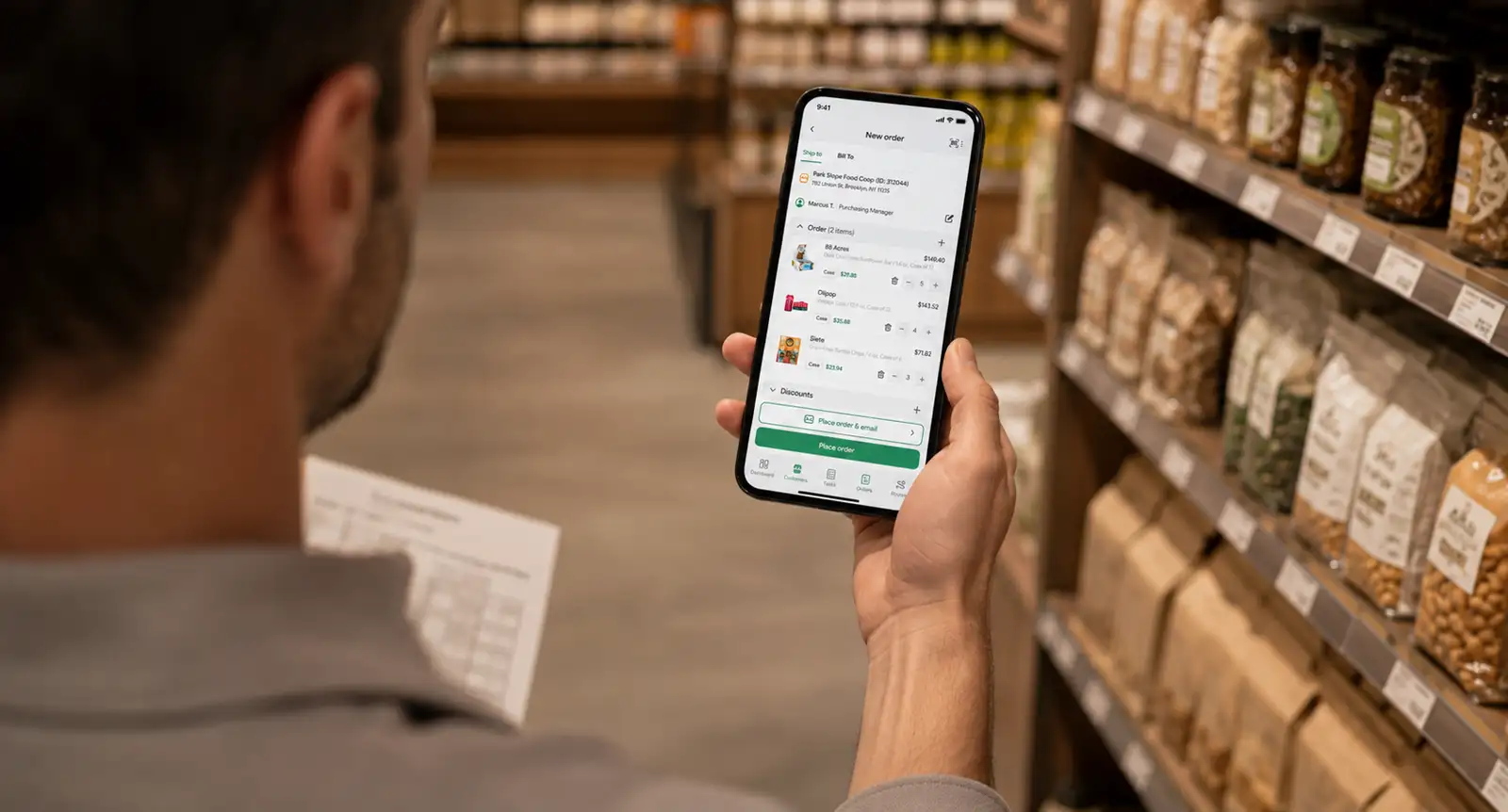
Reps place them on mobile and buyers reorder through a portal, with pricing that is account-specific rather than one flat rate. A rep has to check stock live before committing an order, so nobody promises units that are not there.
The PO also ties directly to routes and deliveries, so a stuck approval quickly turns into a truck that arrives short rather than a back-office accounting delay.
Offline capture counts too: reps work where signal is unreliable, from warehouse basements to rural routes, and the app still has to log the order.
When reps and buyers can see in-stock and out-of-stock levels by SKU before they commit, backorders drop and fewer deliveries turn up short. This is the ground where B2B order management software built for distribution behaves very differently from an accounting-first tool.
How do you measure purchase order management performance?
Improving purchase order management is hard to claim without numbers behind it. A handful of metrics tell you whether the process is getting tighter or just feeling busier.
- PO cycle time measures how long a requisition takes to become an approved PO, and shrinking it is usually the clearest sign automation is working.
- Cost per PO captures the labor and overhead behind each order, and it should fall as manual steps drop away.
- First-time match rate tracks how often a three-way match clears without human intervention, a direct read on invoice accuracy.
- On-time delivery rate and exception rate together show how well suppliers perform and where discrepancies keep surfacing.
- Watching PO-to-invoice accuracy over time turns raw purchase data into something finance teams can act on, and regular spend analysis of that data helps you optimize future purchasing and identify where to consolidate suppliers.
Tracked across a quarter or two, these numbers surface the cost savings and operational efficiency a tighter process delivers. And they make the case for further investment concrete rather than anecdotal.
💡 Pro tip:
Don’t look at PO metrics only as company-wide averages. Break cycle time, exception rate, and match rate down by supplier or PO type. One vendor with frequent quantity mismatches or one approval path that consistently runs late can disappear inside an otherwise healthy average.
Combine it all together with purchase order management software
Purchase order management is what stands between controlled spend and spend that merely happens. A well-run process protects cash flow, keeps inventory honest, strengthens supplier relationships through predictable ordering, and gives finance a clean audit trail when it counts.
Purchase order management software makes that consistency practical at scale. It pulls creation, approval routing, tracking, three-way matching, and closure into one system. Then it connects them to live inventory and accounting so real-time visibility replaces the spreadsheet chase.
SimplyDepo is one such platform, built for brands, distributors, and field teams. It lets teams create POs in the field or warehouse, each with line-item detail, account-specific pricing, and supplier terms.
Approvals route through multi-level workflows that work even offline, and every order stays trackable from requisition to receiving on one dashboard.
Approved POs and invoices sync to QuickBooks without manual re-entry, so for high order volumes across territories, procurement stays aligned with what is on the shelf.
Book a demo to see how SimplyDepo handles purchase order management.
FAQs on purchase order management
The purchase order process runs about seven steps. A requester submits a purchase requisition and secures approval, then someone creates the PO and issues it to the supplier. After delivery, the team inspects the goods, runs a three-way match, pays the invoice, and closes and archives the PO for the record.
A complete purchase order template includes the PO number and date, buyer and supplier details, line items with descriptions and quantities and prices, payment and delivery terms, and space for authorized sign-off. Standardizing these fields cuts errors and makes matching against invoices and receipts far more reliable.
The common types are standard POs for one-off purchases, planned POs with fixed items but flexible timing, blanket POs for recurring buys from one supplier at agreed pricing, and contract POs that release against master terms. Digital POs cover any of these once you automate the process.
Three-way matching compares the purchase order, the goods receipt, and the supplier invoice before anyone approves payment. When price, quantity, and delivery all agree across the three documents, the invoice clears, which prevents overpayment and catches billing errors or fraud early.
The buyer issues a purchase order to request and commit to a purchase, while the supplier issues an invoice to request payment for what arrived. The PO comes first and defines the terms; the invoice comes near the end, and finance checks it against the PO before paying.
-
 October 20, 2026
 -
 October 20, 2026
 -
 October 20, 2026