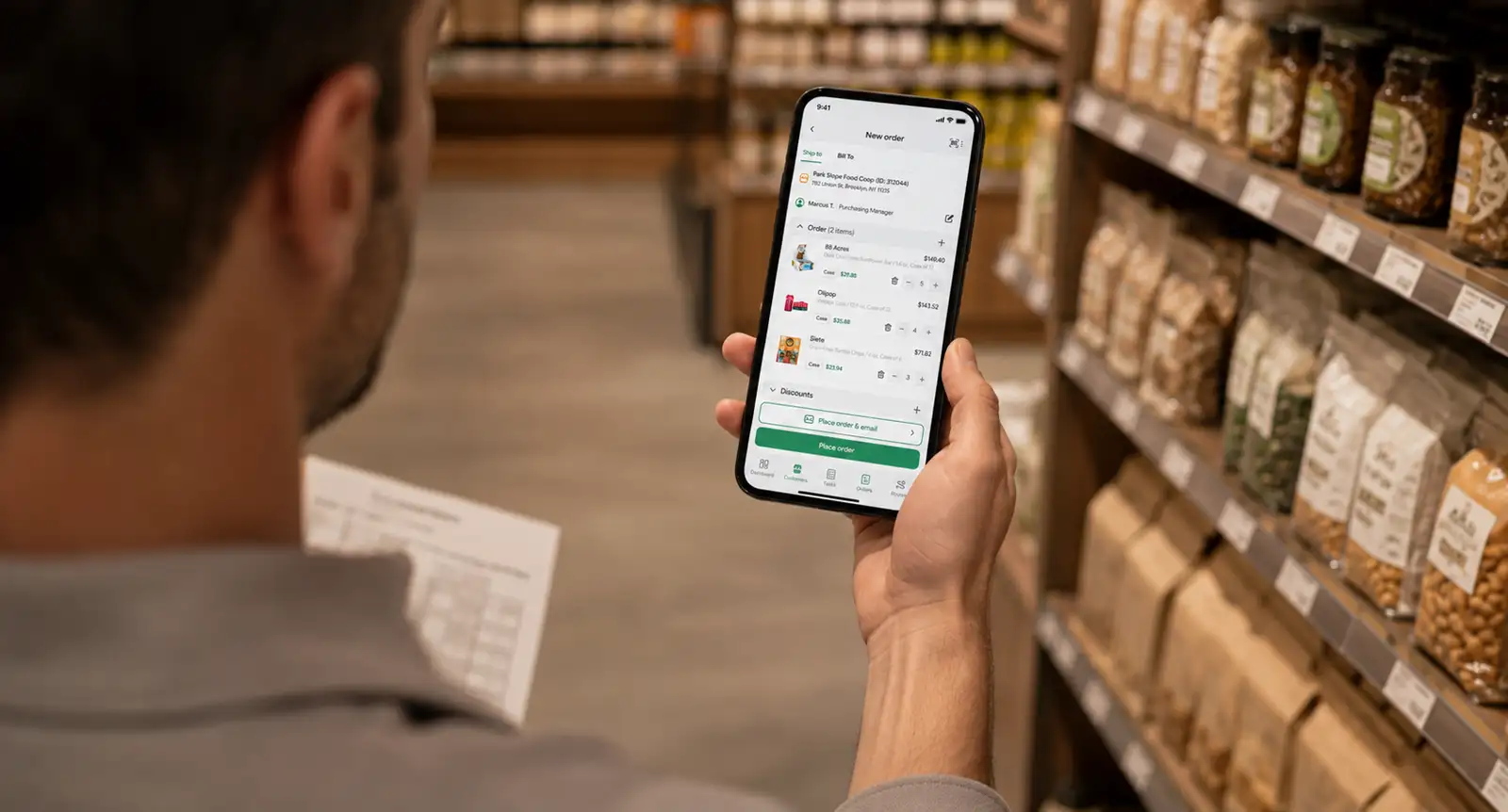
Electronic Proof of Delivery: How It Works for Distribution Teams

📌 Key takeaways
- Electronic proof of delivery (ePOD) captures a richer range of delivery data than any paper form can. Drivers collect digital signatures, timestamped photos, GPS-verified check-ins, barcode-level quantity confirmations, and structured return and credit records at every stop, before the truck pulls away.
- ePOD delivers its full value only when confirmed stop data flows automatically into route reconciliation, invoice generation, and accounting sync.
- When evaluating ePOD software for DSD operations, prioritize offline-first architecture, item-level capture, return and credit workflows built into the stop sequence, and direct integration with route accounting and invoicing.
A typical DSD route covers dozens of stops in a single day. At each one, a driver delivers goods, collects a return, issues a credit, or handles all three. Every one of those actions needs to be documented and invoiced before the route closes.
On paper, that is a lot of room for things to go wrong.
A missed signature, an undocumented return, a form that never made it back to the office, or a credit logged from memory: any of these can turn a completed delivery into an open dispute and a billing cycle that drags on for days longer than it should.
Electronic proof of delivery closes that loop at the point of delivery, before the driver moves on to the next stop.
In this article, we’ll go over how the ePOD workflow runs for distribution teams and what it connects to downstream.
What is electronic proof of delivery?
ePOD stands for electronic proof of delivery. It’s a digital system that captures and stores proof that a delivery occurred, replacing the paper delivery notes, carbon-copy receipts, and handwritten return forms that distribution drivers have carried for decades.
Electronic POD uses mobile applications on smartphones or tablets to capture delivery data at the point of handoff.
That data syncs in real time to a central platform where operations managers, dispatchers, and finance teams can access it immediately.
There’s no waiting for drivers to return to the warehouse. There’s also no manual entry of paper records. The confirmed delivery becomes a live record the moment it is captured.
Is ePOD in a distribution context different from the one used in courier or parcel delivery?
Courier ePOD is largely a single-event confirmation: did the package arrive?
On the other hand, distribution ePOD is a multi-event record covering everything that happened at a stop: what was delivered, what was returned, what was credited, and who confirmed each action.
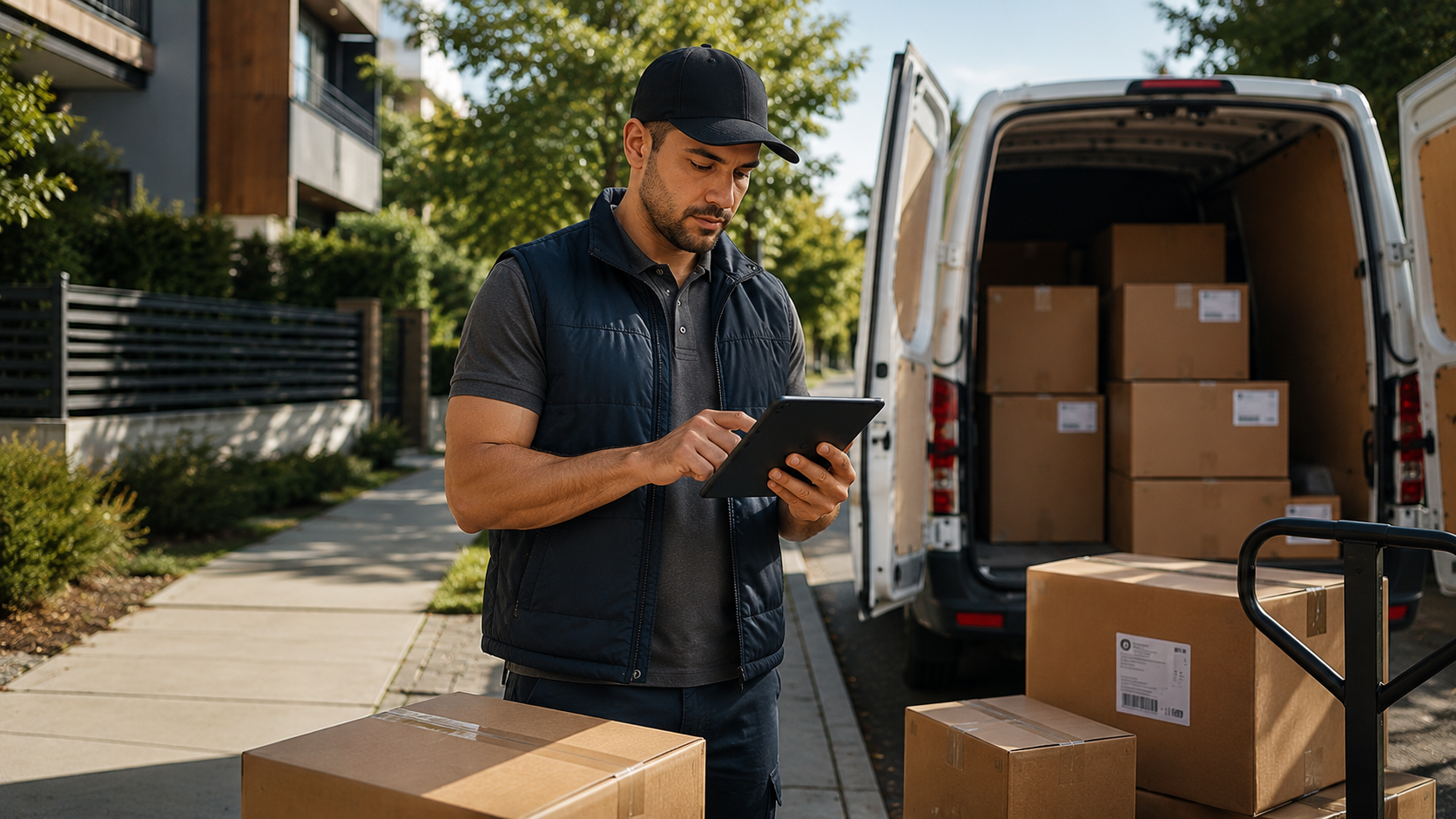
Example: A beverage distributor driver delivering to a convenience store captures the retailer’s customer signature on a tablet, photographs the goods at the delivery site, and logs two returned cases with a reason code before leaving the parking lot. All of that data is attached to that stop record.
Modern ePOD systems capture a richer range of delivery data than any paper form can.
On-site digital verification methods include sign-on-glass for customer signature, photo evidence of condition and placement, automated geotags confirming the exact location, and PIN or OTP verification for contactless handoffs.
Electronically signed delivery records are legally binding in the US under the ESIGN Act and the Uniform Electronic Transactions Act (UETA), which is important when disputes require documented evidence.
Good proof of delivery software brings all of these capture methods together into a single mobile workflow, so drivers are not toggling between multiple apps or filling out separate forms for different proof types.
Why paper proof of delivery fails distribution operations
Consider this scenario: A driver delivers 24 cases of product to a convenience store. The store manager signs a paper receipt.
Few weeks later, the retailer calls to dispute two cases, claiming they were never delivered. The distributor has no photo, no item-level record, and no timestamp linked to that stop.
The AR team cannot prove the delivery and writes off the credit. The revenue is gone.
That scenario plays out across distribution operations every day, and it points to these specific failure modes that traditional paper-based proof of delivery creates:
1. Reconciliation lag
With paper forms, the office does not know what happened on a route until the driver returns at the end of the day. By then, details are faded, paperwork is out of order, and matching driver records against the original orders requires manual entry that is slow and error-prone.
Real time data is not available; decisions are made against yesterday’s information.
That lag has a measurable cost downstream. According to Ardent Partners’ report, invoice exception rates across AP functions still sit at 14%.
For distributors operating on thin margins across dozens of daily stops, exceptions that trace back to incomplete or delayed delivery records are a direct hit to cash flow.
2. Incomplete credit and return documentation
Returns are among the most documentation-intensive events in a DSD route.
When a driver records a return on a paper form, that record is handwritten, often missing item-level detail, and arrives in the back office hours after the stop.
There is no photo, no reason code, and no approval trail.
The credit memo that follows reflects what the driver remembered, not necessarily what occurred.
💡 Pro tip:
Before switching to ePOD, audit your last 90 days of credit memos. If a significant portion traces back to undocumented or partially documented returns, that number is your baseline. That’s what accurate at-stop capture should bring down.
3. Impossible dispute resolution
When a retailer disputes a delivery, the first thing an operations team needs is the delivery record: what was delivered, in what quantity, to whom, at what time.
With paper-based systems, that record either does not exist in a searchable form, has been lost in transit between the driver and the office, or lacks the detail needed to close the dispute.
Lost paperwork is an unrecoverable evidentiary gap.
These are structural weaknesses of paper forms in a workflow that requires precision at scale.
What does electronic proof of delivery capture?
ePOD moves the documentation of a delivery from a clipboard to a mobile device and, in doing so, significantly expands what you can capture at each stop.
Electronic signature (sign-on-glass)
The retailer or receiving party acknowledges the delivery by signing directly on the driver’s device screen. The signature is timestamped and attached to the delivery record, creating a legally defensible confirmation of receipt.
Photo proof
The driver photographs the goods at the delivery site. It can be at the point of handoff, at the shelf, or wherever the delivery terms require. For damage claims or condition disputes, photo documentation at the moment of delivery is the most reliable proof available.
GPS coordinates and timestamp
Every stop is geotagged with the exact location and the precise time of capture. This data confirms that the delivery happened where and when it was supposed to.
Barcode and QR scanning
Drivers scan individual items or cases at the stop, confirming item-level quantities against the order manifest. This is important in distribution, where partial deliveries, substitutions, and multi-SKU orders are common. Scanning removes the human error that comes with manual entry.
Return and credit capture
When a stop involves returned goods, such as expired products or overstocked items, the driver logs each item with a reason code, a photo, and the quantity.
This happens inside the proof of delivery app, at the stop, before the driver moves on. The credit record is created from verified data, not from memory.
Driver notes and exceptions
Substitutions, store access issues, refused items, and special instructions are logged as notes attached to the stop record. Exceptional delivery details that previously lived in a driver’s memory or a scribble on a form become searchable records.
Let’s see how ePOD data capture compares to traditional paper methods across different data types:
| Data type | Paper POD | ePOD | Impact on operations |
|---|---|---|---|
| Delivery signature | Handwritten, filed physically | Digital, timestamped, searchable | Immediate dispute evidence |
| Item quantity confirmation | Driver notation, manual entry | Barcode scan, item-level record | Eliminates quantity disputes |
| Return and credit capture | Handwritten, often incomplete | Reason code, photo, quantity logged at stop | Accurate credit memos, no write-offs |
| Photo documentation | None | Timestamped photos at point of delivery | Resolves damage claims and condition disputes |
| GPS and timestamp | None | Auto-captured, attached to stop record | Confirms location and time of delivery |
| Real-time sync | End of day, manual | Immediate on confirmation | Back office acts on current data |
Distribution teams can configure which proof types are required for which stop types.
For instance:
- Photos may be mandatory for all credit and return events
- Signature capture may be required for accounts above a certain order value
- A GPS check-in may suffice for smaller, routine stops
The configurability ensures that the proof matches the risk, without creating unnecessary friction for drivers on straightforward deliveries.
How ePOD works: The step-by-step workflow for distribution teams
The ePOD process is not a standalone event; it is a continuous digital workflow that connects the warehouse, the delivery driver, and the back office from route start to route close.
Each step in the sequence builds on the last, and the data captured at every point feeds downstream into settlement and invoicing.
Step 1: Route loading and pre-departure check
Before the truck leaves the warehouse, the driver or warehouse team scans items onto the vehicle against the order manifest.
Any discrepancies are flagged in the system before departure.
The confirmed load becomes the baseline record for the route. This is the foundation against which all subsequent stop-level proofs are measured.
Step 2: Data sync to the mobile device
Stop sequence, delivery instructions, customer-specific pricing, and order details are pre-loaded to the driver’s mobile device.
This happens before the route begins, which means the app carries all the relevant information for every stop whether or not internet connectivity is available during the route.
DSD routes frequently pass through low-signal environments. A mobile-first DSD route accounting software caches data locally and syncs automatically when connectivity returns. No stop goes unrecorded because of a signal problem.
Step 3: At-stop delivery capture
The driver arrives, and the app confirms the exact location via GPS check-in. Goods are delivered. The driver captures the required proof for that stop type: signature, photo, barcode scan, item-level quantities.
Any exceptions are logged with reason codes and photos before the driver leaves. The stop is marked complete, and the record is locked.
Step 4: Return and credit capture
If the stop involves a return or credit, the driver logs each item with its reason code, photographs the returned goods, and records the quantity.
In a paper-based operation, this is where accuracy breaks down. Returns are an afterthought captured on the same form as the delivery, often incompletely.
In an ePOD system, the return workflow is a structured, required sequence within the same app. Credits are documented at the stop, with the evidence attached.
Step 5: Real-time sync to the back office
Confirmed stop data (such as proof records, exceptions, signatures, photos, quantities) syncs to the central dashboard as each stop is completed.
Operations managers can monitor progress, see delivery status by stop, and address exceptions in real time. Dispatchers do not wait for an end-of-day report. Customer service teams can answer delivery inquiries without phone calls to the driver.
The entire team operates from current data.
Step 6: Route settlement and invoicing trigger
At route close, the ePOD records for all stops feed into route accounting.
Delivered quantities, returns, and credits are reconciled at the route level.
The confirmed data triggers invoice generation automatically, from the verified stop record, not from driver paperwork brought back to the office. The billing cycle begins the moment the route closes.
How does ePOD connect to invoicing and route reconciliation?
ePOD as an invoicing trigger
Once a stop is confirmed in the ePOD system, the delivered quantities, pricing, and credits become the source of truth for the invoice. Drivers do not need to return to the warehouse with paper.
The invoice comes out from the confirmed stop record: the same record the driver created at the delivery site.
ePOD makes same-day invoicing operationally achievable, because the data needed to generate the invoice is captured at the stop in real time.
Eliminating reconciliation errors
Paper-based operations require manual matching of driver paperwork against office orders at the end of each day. That manual entry is where documentation errors accumulate.
ePOD eliminates this step entirely.
The confirmed stop record is the final record. Finance and operations see the same data, from the same source, without any intermediate steps.
Credit and return accuracy
Item-level credit capture at the stop means that returns are documented before they reach the back office.
Office teams can generate the credit memo from verified data, without relying on what the driver remembers after a full day on the route.
Fewer disputes arise because the evidence for each credit event exists before anyone questions it.
Accounting system sync
For distribution teams running on DSD software connected to QuickBooks or other accounting platforms, ePOD-confirmed records sync directly to invoices and accounts receivable without manual re-entry.
The route closes, the data moves, and the books reflect what happened on the road, without anyone in the office having to bridge the two.
ePOD data also feeds inventory replenishment. Confirmed deliveries update stock levels in real time, so the back office always knows what left the warehouse, where it went, and what came back. Returns and credits are accounted for as they occur, not at the end of a reporting period.
What to look for in ePOD software for distribution teams?
Offline-first architecture
Proof capture must work without internet. A system that requires a live connection to record a delivery will fail on routes that pass through areas with unreliable signal.
Data should cache locally on the device and sync automatically when connectivity returns. This is a structural requirement for DSD operations.
Item-level capture, not just order-level confirmation
Distribution stops involve multiple SKUs, partial deliveries, and item-level credits.
The app must capture quantity and condition per item, not just “delivery confirmed” at the order level. Order-level confirmation cannot resolve a dispute about whether a specific product was delivered in the right quantity.
Return and credit workflows built into the stop
Reps should be able to log returns at the stop, in the same app, with reason codes, photos, and quantities.
Systems that treat returns as a separate back-office process recreate the same reconciliation problems as paper.
DSD route accounting integration
ePOD data should flow directly into route settlement and invoicing.
If the ePOD system remains isolated from route accounting (i.e., if someone still needs to manually transfer stop data into a settlement sheet), the efficiency gain is partial.
Configurable proof rules
Different stops require different proof. For example, a delivery to a high-value account may require signature and photo. A routine small-format stop may require only a GPS check-in.
The system should let operations define required proof types by stop type or delivery category, so proof collection is appropriate to the risk without creating unnecessary friction on every stop.
Real-time visibility for managers
Dispatchers and operations managers should see delivery status, exceptions, and proof records as they happen.
If a driver has been at a stop longer than expected, or a driver has flagged an exception, the manager needs to know now, not when the driver returns at end of day.
Real-time visibility is what allows distribution teams to streamline operations and resolve problems while the route is still active.
Put ePOD to work across your distribution routes
Electronic proof of delivery is not a documentation upgrade.
For distribution teams running DSD routes, it is the operational infrastructure that connects every stop to the financial records that follow.
The data you capture at each delivery, including signatures, photos, GPS timestamps, item-level quantities, and return reason codes, is what makes accurate invoicing, defensible dispute resolution, and clean route reconciliation possible.
The catch is that ePOD only delivers its full value when it is woven into the broader route workflow. A standalone app that produces records no one can act on in real time covers only a fraction of what the technology can do.
The real benefit comes when confirmed stop data flows automatically into settlement, invoicing, and accounting, with no manual steps between the driver and the books.
SimplyDepo’s DSD software is built around that complete loop. Drivers capture signatures, photos, GPS-verified check-ins, and item-level credits from an offline-first mobile app.
Confirmed stop data flows directly into route reconciliation and invoice generation, and QuickBooks sync means the books reflect what happened on the road without anyone in the office manually bridging the two.
Book a personalized demo and see how you can set up or improve your route accounting systems using SimplyDepo.
FAQs on Electronic Proof of Delivery (ePOD)
Electronic proof of delivery is a digital system that replaces paper delivery notes with mobile-captured records. At each stop, the delivery driver uses a smartphone or tablet to collect a customer signature, photograph the goods, record GPS coordinates and timestamps, and log any returns or exceptions. That data syncs in real time to a central platform accessible to the entire operations team.
Traditional paper-based proof of delivery creates a reconciliation lag: the back office does not see what happened on a route until paper records arrive at the end of the day, and manual entry introduces additional errors. ePOD syncs confirmed delivery data immediately, gives managers real-time visibility across all active stops, and captures photos, GPS coordinates, item-level quantities, and return reason codes.
Modern ePOD systems designed for distribution teams are built offline-first. Stop data, order details, and delivery instructions are pre-loaded to the driver’s device before the route begins. Proof is captured locally and syncs automatically when the device reconnects. Routes that pass through basements, rural areas, or low-signal environments are fully supported without data loss.
ePOD creates a timestamped, geolocated, photo-documented record of what was delivered, in what quantity, and who confirmed it. When a retailer disputes a delivery or a damage claim is raised, the stop record can be retrieved immediately with the full set of delivery details, like signature, photos, GPS coordinates, and item-level data. Fewer disputes reach the write-off stage because the evidence exists and is accessible within seconds.
In a connected DSD platform, confirmed ePOD records trigger invoice generation. Delivered quantities, pricing, and credits flow directly from the stop record to the invoice without manual re-entry. The billing cycle begins as soon as the route closes, which reduces days sales outstanding and eliminates the invoicing lag that paper-based operations create.
Distribution teams should capture GPS check-in confirming the exact location, electronic signature from the receiving party, and barcode-scanned item-level quantity confirmation. For credit and return events: photo documentation of the returned goods and a reason code.
Distribution teams should configure proof requirements by stop type, requiring higher levels of documentation for high-value accounts or credit events, and lighter-touch capture for routine stops, so the system is thorough without slowing drivers down.
-
 October 20, 2026
 -
 October 20, 2026
 -
 October 20, 2026